A scalable learner support system helps participants solve
problems, understand what to do next, receive useful feedback, and continue
learning without requiring program staff to answer every question manually. It
combines preventive course design, self-service resources, automated guidance,
peer interaction, human instructional support, and clear escalation procedures.
For institutions and training providers, scalability does
not mean removing people from the learning experience. It means using human
expertise where judgment, empathy, and instructional intervention matter most
while standardizing predictable support needs. This article explains how to
design support across the learner journey, assign operational ownership, use
progress data responsibly, manage response expectations, and build a support
model that can grow without weakening learning quality.
- Quick
Answer
- What
Is a Scalable Learner Support System?
- Why
Learner Support Becomes Harder as Programs Grow
- The
Six Layers of a Learner Support System That Scales
- How
to Divide Support Between Automation, Peers, and People
- How
Progress Data Can Trigger Proactive Support
- How
to Organize Support Roles, Response Standards, and Escalation
- A
Practical Framework for Building the Support System
- Common
Mistakes That Make Learner Support Difficult to Scale
- FAQ
- Conclusion
Quick Answer
A scalable learner support system is an organized
combination of course guidance, self-service resources, platform notifications,
peer interaction, instructor assistance, and specialist escalation that helps
learners continue without making every problem dependent on one trainer.
The system should prevent predictable confusion before it
happens, answer common questions efficiently, identify learners who may be
struggling, and provide human support when the situation requires
interpretation or empathy.
For institutions and training providers, this usually means
creating several support layers. Clear onboarding and lesson instructions
reduce unnecessary questions. A searchable knowledge base handles repeated
operational issues. Automated reminders address predictable events. Peer
communities create shared learning support. Instructors handle academic and
practical difficulties. Technical or administrative specialists manage problems
outside the instructor’s role.
Scalability does not mean automating every conversation.
Excessive automation can make support feel impersonal and may fail when the
learner’s difficulty is complex. The objective is to standardize what is
repeatable while protecting human capacity for high-value support.
A strong system also defines ownership, response
expectations, escalation rules, and the data used to identify support needs.
Without these operating rules, adding more communication channels may increase
workload without improving the learner experience.
What Is a Scalable Learner Support System?
A scalable learner support system is a structured operating
model that helps learners overcome academic, technical, administrative,
motivational, and navigational barriers as participation grows, without
requiring support workload to increase at exactly the same rate as enrollment.
The phrase support system is important. Learner
support should not depend entirely on the availability or personal habits of
one instructor.
A trainer may provide excellent help to a cohort of 20
participants through individual chat messages. The same approach may become
unsustainable when the program expands to 200 learners, several courses,
multiple instructors, and different enrollment periods.
The problem is not that the trainer has become less
committed. The delivery model has exceeded the capacity of informal support.
A support system addresses this by defining:
- which
questions should be prevented through better design;
- which
answers learners can find independently;
- which
events can trigger automated guidance;
- which
issues can be discussed with peers;
- which
difficulties require an instructor;
- which
problems need administrative or technical escalation;
- how
support quality will be monitored.
Learner support is broader than customer service.
Customer service may help with login access, payments,
account status, or technical errors. Learner support also includes
instructional questions, unclear expectations, assessment feedback, confidence
problems, application challenges, and decisions about the appropriate next
learning step.
These categories often overlap, but they should not be
treated as interchangeable.
|
Support Category |
Typical Learner Need |
Appropriate Owner |
|
Navigational support |
“Where should I begin?” |
Course design, onboarding, platform guidance |
|
Technical support |
“The lesson will not load on my device.” |
Technical support or platform administrator |
|
Administrative support |
“Is this activity required for completion?” |
Program administrator |
|
Academic support |
“I do not understand this concept.” |
Instructor, facilitator, or subject expert |
|
Assessment support |
“Why did my answer not meet the standard?” |
Assessor or instructor |
|
Motivational support |
“I have fallen behind and do not know how to continue.” |
Facilitator, mentor, or structured re-engagement workflow |
|
Application support |
“How do I use this method in my workplace?” |
Mentor, coach, instructor, or peer group |
|
Accessibility support |
“I cannot use this resource in its current format.” |
Program team, accessibility contact, or content owner |
A scalable model does not necessarily require a separate
person for every category. Smaller providers may combine several roles. What
matters is that responsibilities are visible and learners know where to seek
the appropriate help.
Support scales when the organization designs a repeatable
route from learner difficulty to the right type of response—not when it simply
adds more people to a group chat.

Why Learner Support Becomes Harder as Programs Grow
Learner support becomes harder to manage because program
growth creates more than a higher volume of questions. It also increases
variation.
A small cohort often shares a similar schedule, instructor,
learning context, and level of preparation. As participation expands, the
program may serve learners who differ in:
- prior
knowledge;
- language;
- digital
confidence;
- device
quality;
- connectivity;
- work
schedules;
- accessibility
needs;
- learning
goals;
- organizational
requirements;
- ability
to participate in live sessions.
The support system must therefore manage both volume
and complexity.
Research on online learner support reflects this complexity.
A 2024 systematic review found substantial variation in the types of online
academic support studied and concluded that stronger research is still needed
to determine which approaches reliably improve learning outcomes and retention.
The practical lesson is that institutions should not assume one support method
will work across every program or learner group. Review
the systematic literature on online academic student support
Repeated questions consume specialist capacity
Many support requests are predictable:
- How
do I access the course?
- Which
lesson should I complete first?
- When
is the assignment due?
- Where
can I find my certificate?
- Can
I retry the quiz?
- How
do I continue from my last lesson?
- Who
should I contact if the video does not load?
When every learner receives an individual answer,
instructors spend time repeating operational information instead of reviewing
learner work or providing meaningful feedback.
This is often the first sign that a support process needs to
be redesigned.
The solution is not to stop answering learners. It is to
examine why the same question continues to appear.
Sometimes the answer belongs in:
- onboarding;
- the
course overview;
- a
lesson description;
- a
frequently asked questions page;
- an
automated message;
- an
interface label;
- the
assignment instructions.
A repeated question is useful evidence. It may reveal a
support need, but it may also reveal a design problem.
More communication channels can create fragmented support
Training programs often add channels as they grow.
An organization may begin with email, then introduce
WhatsApp, a discussion group, direct instructor messages, video calls, a
platform inbox, and a technical support form.
This can appear learner-friendly because participants have
many ways to ask for help. Operationally, however, the team may struggle to
determine:
- whether
a question has already been answered;
- which
team member owns the issue;
- whether
the response was consistent;
- how
long the learner has been waiting;
- whether
a recurring issue affects other participants;
- whether
sensitive information is being shared in an inappropriate channel.
More channels do not automatically create better support.
A scalable model usually needs a clear entry point,
even when several communication tools remain available. The learner should know
which channel to use for each type of issue, and the team should have a process
for recording outcomes.
Instructor availability becomes uneven
In small programs, the learner may know exactly who the
instructor is and receive a quick personal response.
When the program expands, support quality can begin to
depend on:
- which
trainer is assigned;
- how
many cohorts the trainer manages;
- whether
the trainer checks messages outside working hours;
- whether
the question arrives through the expected channel;
- whether
another team member has already responded;
- whether
the organization has defined response standards.
This creates inconsistency.
One cohort may receive detailed feedback within a day, while
another waits a week. One instructor may provide direct answers, while another
encourages independent problem-solving. Both approaches may be reasonable, but
uncontrolled variation makes the program difficult to manage.
Learners become easier to overlook
In a small live class, an instructor may notice when a
participant becomes quiet or confused.
In a large self-paced program, a learner can stop
participating without anyone recognizing the change immediately.
This is one reason support needs to connect with learner
progress tracking and completion signals.
Progress information cannot explain every learner
difficulty, but it can show where support may be needed. For example:
- enrollment
without starting;
- repeated
assessment attempts;
- unfinished
assignments;
- inactivity
after steady participation;
- stopping
one activity before completion;
- multiple
learners pausing at the same lesson.
The support team can then investigate rather than waiting
for the learner to initiate contact.
A 2024 review of 110 studies on online higher education
dropout identified a combination of course quality, academic preparation,
satisfaction, motivation, system characteristics, support services, isolation,
technical difficulties, and workload among the factors connected with
attrition. Support should therefore be treated as one part of a wider learning
system rather than a single solution to every dropout problem. Explore the
systematic review of online learning dropout factors
As programs grow, support cannot remain a collection of helpful individual actions. It has to become an operating system.
The Six Layers of a Learner Support System That Scales
The strongest support model does not begin with a help desk.
It begins by reducing avoidable confusion inside the learning experience.
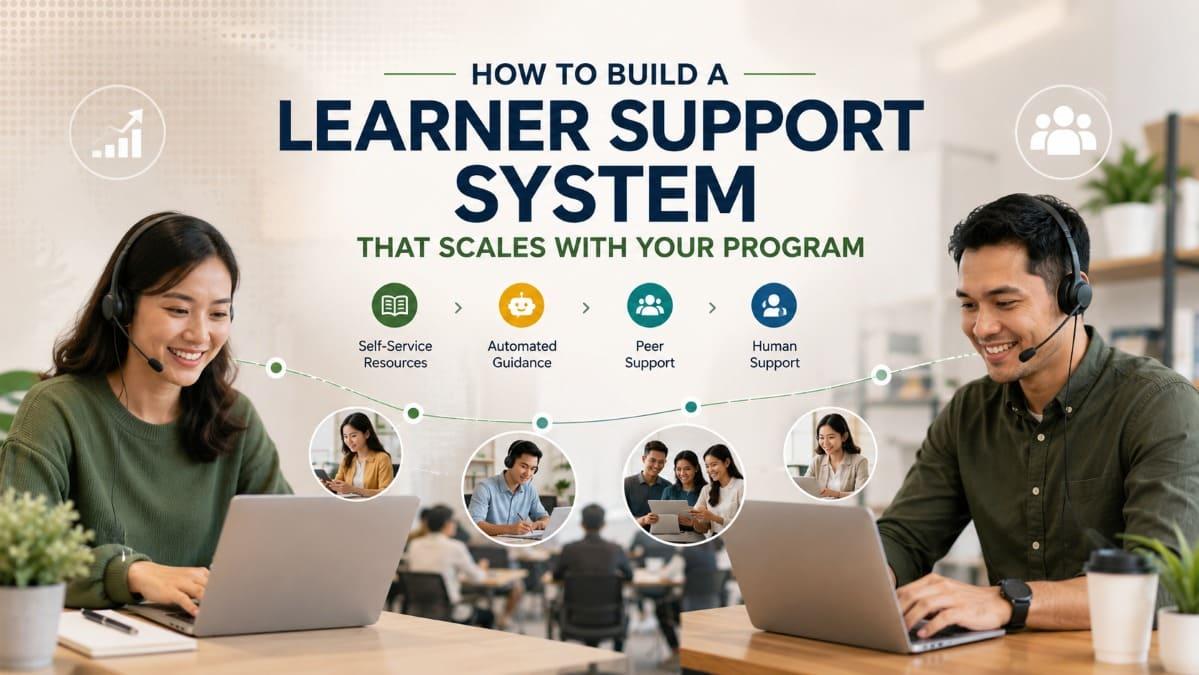
A useful system can be designed as six connected layers.
Layer 1: Preventive support inside the course design
Preventive support removes barriers before learners need to
ask for help.
It includes:
- clear
learning objectives;
- realistic
course descriptions;
- transparent
completion requirements;
- concise
lesson instructions;
- visible
prerequisites;
- examples
of expected work;
- accessible
content formats;
- consistent
navigation;
- explanations
of assessment criteria;
- guidance
about what to do after an unsuccessful attempt.
This layer is frequently overlooked because it does not look
like support. No message is sent, and no ticket is created.
Yet a well-written instruction can prevent hundreds of
questions.
Consider an assignment that says:
“Submit your final reflection.”
Learners may reasonably ask:
- How
long should it be?
- What
should it discuss?
- Is
there a required format?
- When
is it due?
- Will
it be assessed?
- Can
it be revised?
A stronger instruction might specify:
- the
purpose of the reflection;
- two
questions to address;
- the
approximate expected length;
- the
submission format;
- the
deadline;
- whether
feedback will be provided.
The second version reduces uncertainty without lowering the
academic standard.
Preventive support also needs to account for learner
variability. Supporting
learners with different knowledge and ability levels may require foundation
resources, optional refreshers, alternative examples, additional practice, or
clearly labeled pathways.
Layer 2: Self-service support
Self-service support allows learners to find reliable
answers without waiting for a staff response.
Common self-service resources include:
- a
course orientation page;
- frequently
asked questions;
- searchable
help articles;
- short
tutorial videos;
- device
and connectivity guidance;
- assessment
instructions;
- troubleshooting
checklists;
- downloadable
job aids;
- examples
of successful submissions;
- clear
contact information for unresolved problems.
Self-service content must be designed around learner
language.
An internal title such as “Authentication Protocol
Procedures” may be technically correct, but a learner is more likely to search
for “I cannot log in.”
A knowledge base should therefore use:
- common
learner questions as titles;
- direct
answers near the beginning;
- short
steps;
- screenshots
where genuinely helpful;
- consistent
terminology;
- a
visible escalation option.
Self-service support also needs ownership. Outdated help
content may be worse than no content because it causes learners to follow
incorrect instructions.
Each resource should have a content owner and a review
schedule, particularly when platform features, program rules, or certification
requirements change.
Layer 3: Automated and contextual guidance
Automated guidance is useful when the situation is
predictable and the recommended action is clear.
Examples include:
- activation
reminders;
- onboarding
prompts;
- deadline
notifications;
- confirmation
that an assignment was received;
- notice
that instructor feedback is available;
- reminders
about an unfinished requirement;
- messages
showing how to resume after inactivity;
- milestone
recognition;
- explanations
of what happens after course completion.
The message should be connected to the learner’s actual
situation.
“Continue learning” is less useful than:
“You completed the foundation module. Your next step is the
five-minute practice activity on identifying customer needs.”
Context reduces the mental effort required to return.
Automation should not pretend to understand more than the
system can observe. A platform may know that the learner has been inactive. It
may not know whether the reason is work pressure, illness, technical
difficulty, low relevance, or confusion.
The message should therefore avoid judgment.
Poor:
“You are failing to keep up with your course.”
Better:
“We noticed that your next activity is still incomplete. You
can continue from your last completed lesson, or contact the program team if
something is preventing you from continuing.”
Layer 4: Peer and community support
Learners can often help one another interpret examples,
share practical experiences, discuss application challenges, and maintain a
sense of participation.
Peer support may take the form of:
- moderated
discussion spaces;
- cohort
groups;
- study
partners;
- peer
feedback;
- group
challenges;
- question-and-answer
threads;
- alumni
communities;
- role-based
professional discussions.
The Community of Inquiry framework describes meaningful
online learning through the interaction of teaching presence, social presence,
and cognitive presence. This provides a useful reminder that a learning
platform is not only a content-delivery system. The way people facilitate,
communicate, and construct meaning together also shapes the experience. Review the Community of
Inquiry framework
Peer support can reduce dependence on the instructor, but it
requires boundaries.
The program team should clarify:
- which
discussions are encouraged;
- whether
peer answers are authoritative;
- when
an instructor will intervene;
- how
misinformation will be corrected;
- what
behavior is unacceptable;
- how
personal or sensitive information should be handled.
A community is not self-managing simply because participants
can post messages.
Moderation remains part of the support workload.
CAST’s Universal Design for Learning guidance also
emphasizes collaboration, interdependence, and collective learning rather than
treating independence as the only desirable learner behavior. Explore
guidance on collaboration and collective learning
Layer 5: Human instructional support
Human support becomes most valuable when the problem cannot
be solved through a standard answer.
An instructor, facilitator, coach, or mentor may be needed
when:
- the
learner misunderstands a core concept;
- an
assignment requires qualitative feedback;
- the
learner needs help applying knowledge in context;
- several
possible solutions may be reasonable;
- the
learner’s previous experience changes the appropriate guidance;
- the
issue affects confidence or persistence;
- a
difficult conversation requires empathy;
- professional
judgment is involved.
This is where organizations should protect staff capacity.
When instructors spend most of their time resetting
passwords or repeating deadline information, their expertise is being used
inefficiently.
Human instructional support should focus on learning.
Useful formats may include:
- scheduled
question sessions;
- assignment
feedback;
- office
hours;
- targeted
individual messages;
- small-group
clinics;
- coaching
calls;
- feedback
videos;
- moderated
discussion responses;
- practical
case reviews.
The format should match the complexity of the problem. A
ten-minute call may be appropriate for a nuanced workplace scenario but
excessive for a simple clarification.
Layer 6: Specialist escalation
Some issues cannot be resolved by the instructor or through
the learning platform.
Escalation may be required for:
- account
security;
- payment
disputes;
- data
privacy concerns;
- formal
complaints;
- accessibility
accommodations;
- safeguarding
concerns;
- certification
disputes;
- assessment
appeals;
- organizational
policy issues;
- complex
technical failures.
The escalation path should define:
- who
receives the case;
- which
information must be recorded;
- how
quickly the issue should be acknowledged;
- who
communicates with the learner;
- when
senior management must be involved;
- how
the final outcome is documented.
Without this structure, difficult cases may be passed
repeatedly between team members.
|
Support Layer |
Main Purpose |
Typical Scale Advantage |
Main Risk |
|
Preventive course design |
Remove predictable confusion |
Reduces unnecessary questions for every cohort |
Weak instructions may go unnoticed without review |
|
Self-service resources |
Provide immediate standard answers |
One resource can serve many learners |
Content can become outdated or difficult to find |
|
Automated guidance |
Prompt clear next actions |
Supports large cohorts consistently |
Messages may feel irrelevant or judgmental |
|
Peer support |
Enable shared learning and participation |
Distributes discussion across the cohort |
Misinformation and weak moderation |
|
Human instructional support |
Resolve complex learning needs |
Concentrates expertise where it matters |
Staff overload if boundaries are unclear |
|
Specialist escalation |
Handle sensitive or high-risk issues |
Creates accountable resolution pathways |
Cases may become fragmented across departments |

FitAcademy
Build a More Structured Learning Environment
FitAcademy helps institutions, training providers, creators, and communities organize courses, classes, teachers, learner progress, and mobile learning delivery within one structured platform environment.
Join the PlatformHow to Divide Support Between Automation, Peers, and People
The decision should be based on the nature of the learner’s
problem, not only on the cost of responding.
Automation works best when the trigger, answer, and next
action are predictable.
Peers are useful when learners benefit from comparing
experiences, exchanging examples, or practicing together.
Human specialists are necessary when the issue requires
judgment, confidentiality, contextual understanding, or accountability.
Automate high-volume, low-ambiguity support
Good candidates for automation include:
- enrollment
confirmation;
- access
instructions;
- upcoming
deadline reminders;
- completed
milestone notifications;
- certificate
availability;
- notification
that feedback has been posted;
- reminders
about one clearly defined unfinished requirement;
- directions
to the relevant help resource.
These messages can be standardized because the appropriate
action is usually stable.
Automation becomes less reliable when the system tries to
diagnose a complex difficulty from limited behavioral data.
For example, a low quiz score may mean:
- the
learner misunderstood the content;
- the
question was ambiguous;
- the
learner rushed;
- the
content was not accessible;
- the
learner interpreted the scenario differently;
- there
was a technical problem;
- the
assessment did not align with the lesson.
A standard message can direct the learner to review content
or seek help. It should not automatically declare the cause.
Use peers for experience, reflection, and shared practice
Peers are particularly valuable when the learning objective
involves interpretation or application.
A cohort of new managers might discuss:
- how
they prepared for a difficult feedback conversation;
- which
delegation problems they encountered;
- how
workplace culture affected the method;
- what
they would do differently next time.
This kind of exchange cannot always be reduced to one
correct answer.
Peer support is less suitable when learners require:
- an
authoritative policy interpretation;
- formal
assessment decisions;
- confidential
advice;
- safeguarding
support;
- technical
access changes;
- certification
approval.
The program should not transfer institutional responsibility
to the learner community.
Reserve human expertise for ambiguity and consequence
Human support is most justified when the answer depends on
context or has meaningful consequences.
Examples include:
- feedback
on a complex assignment;
- advice
about applying the skill in a sensitive workplace situation;
- assessment
moderation;
- a
learner who repeatedly struggles despite using self-service resources;
- conflicting
information between the platform and instructor;
- an
accessibility need requiring adjustment;
- a
complaint about instructor conduct.
A useful operational question is:
Would a standard answer remain appropriate if the
learner’s context changed?
When the answer is no, human review is more likely to be
necessary.
Allow learners to reach a person
A scalable support system should not trap learners inside
automated responses.
Even a well-designed knowledge base will not resolve every
issue. Learners need a visible route to escalate when:
- the
suggested answer did not work;
- the
situation is not represented;
- the
learner disagrees with an automated status;
- the
issue is sensitive;
- progress
is blocked.
The escalation route can still be structured. The learner
may be asked to select a category, describe what has already been attempted,
and attach relevant evidence.
This creates efficiency without removing access to human
support.
Automation should shorten the path to a solution. It should
not become an additional barrier that learners must overcome before they are
allowed to ask for help.
How Progress Data Can Trigger Proactive Support
Most support systems are reactive. The learner experiences a
problem, recognizes that help is available, finds the correct channel, explains
the issue, and waits for a response.
Every step creates friction.
Proactive support uses learning activity, progress, and
program events to identify situations where guidance may be useful before the
learner submits a request.
This does not require complex predictive artificial
intelligence. Many institutions can begin with simple, transparent rules.
Use meaningful triggers
Potential support triggers include:
- account
created but not activated;
- orientation
completed but no first lesson started;
- no
activity within an expected period;
- repeated
unsuccessful assessment attempts;
- assignment
submitted but feedback not provided;
- instructor
feedback delivered but not opened;
- required
activity started but repeatedly abandoned;
- learner
close to completion but inactive;
- several
learners stopping at the same lesson;
- course
deadline approaching with significant work remaining.
The trigger should be connected to a support action.
Tracking data without a response plan produces dashboards,
not support.
Distinguish individual difficulty from program friction
If one learner pauses at an assessment, the issue may be
personal or contextual.
If half the cohort pauses at the same assessment, the
organization should investigate the design.
Possible program-level problems include:
- unclear
instructions;
- content-assessment
misalignment;
- excessive
difficulty;
- inaccessible
media;
- slow
platform performance;
- an
unrealistic deadline;
- delayed
instructor response;
- prerequisites
that were never taught;
- a
broken submission workflow.
Support data should improve the program, not only produce
more reminders.
Use supportive rather than punitive language
A proactive message should help the learner re-enter the
journey.
It can include:
- recognition
of completed progress;
- a
clear description of the remaining step;
- a
direct continuation link;
- an
estimate of the next activity’s scope;
- an
invitation to seek help;
- a
relevant review resource.
It should avoid implying laziness or failure.
For example:
“You have completed four of the five required modules. The
remaining step is the practical reflection. Review the two submission questions
and continue when ready. Contact the facilitator if you are unsure how to apply
the questions to your work.”
This is more actionable than:
“You have not completed your course.”
Avoid excessive monitoring
More tracking is not always better.
Institutions should define:
- which
learner data is necessary;
- what
purpose it serves;
- who
can access it;
- how
long it is retained;
- which
actions may be triggered;
- how
learners are informed about the process.
Behavioral data should not be interpreted as a complete
explanation of learner intent or wellbeing.
A lack of activity is a signal. It is not a diagnosis.
The system should also avoid sending so many notifications
that learners begin ignoring all communication. Timing should reflect course
pace, learner expectations, and the seriousness of the issue.
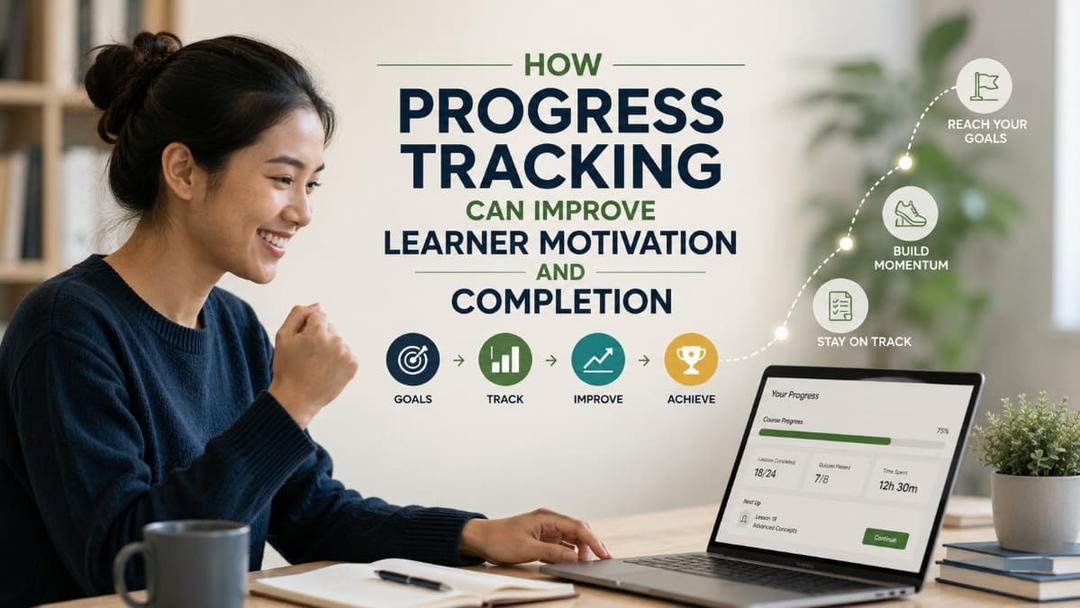
For a deeper discussion of how progress indicators should
guide learners without becoming decorative or intrusive, see how
progress tracking can improve learner motivation and completion.

How to Organize Support Roles, Response Standards, and Escalation
A support model cannot scale when responsibility remains
implicit.
Someone must own the learner experience, even when several
teams contribute to it.
Define who owns each support category
A smaller training provider may use one person in several
roles:
- program
administrator;
- course
facilitator;
- technical
contact;
- assessor;
- community
moderator.
This is acceptable as long as the responsibilities are
documented.
Larger institutions may divide support across multiple
departments. In that case, learners should not be expected to understand the
internal organizational structure.
The support entry point should route the issue
appropriately.
A simple responsibility matrix may look like this:
|
Support Issue |
Primary Owner |
Backup or Escalation |
Information Required |
|
Account activation |
Program administrator |
Technical support |
Learner identity and invitation status |
|
Lesson access error |
Technical support |
Platform administrator |
Device, browser, screenshot, affected lesson |
|
Course requirement question |
Program administrator |
Course manager |
Course and cohort details |
|
Conceptual question |
Instructor |
Subject expert |
Lesson, question, learner’s current understanding |
|
Assessment feedback |
Assessor |
Lead assessor |
Submission, rubric, previous feedback |
|
Inactivity after progress |
Facilitator |
Program manager |
Progress pattern and previous communication |
|
Accessibility barrier |
Accessibility contact |
Program lead |
Required adjustment and affected resource |
|
Formal complaint |
Program manager |
Senior management |
Complaint details and relevant evidence |
Set realistic response expectations
Learners need to know:
- when
support is available;
- which
channels are monitored;
- expected
response times;
- whether
weekends or holidays are included;
- what
constitutes an urgent issue;
- what
to do if the problem remains unresolved.
The organization should avoid promising immediate responses
unless it has the staffing model to provide them.
A realistic service standard is better than an ambitious
promise that is regularly broken.
Different support types may require different targets.
For example:
- automated
confirmation: immediate;
- administrative
question: one working day;
- technical
investigation: initial acknowledgement within one working day;
- instructor
feedback: three working days;
- formal
appeal: handled under a separate policy.
These examples are not universal standards. Each
organization should set expectations based on program duration, staffing, risk,
and learner needs.
Separate acknowledgement from resolution
Some issues cannot be solved immediately.
The support system should still acknowledge that the request
was received and explain:
- who
is handling it;
- whether
more information is needed;
- what
will happen next;
- when
the learner can expect an update;
- whether
there is a temporary workaround.
Silence creates uncertainty even when work is happening
internally.
Record recurring problems
Support records should help the organization identify
patterns.
Useful categories may include:
- login
and account access;
- navigation;
- unclear
instructions;
- course
content;
- assessment;
- feedback
delay;
- technical
performance;
- accessibility;
- completion
requirements;
- certificate;
- payment
or administration.
The objective is not to produce complicated reports. It is
to answer operational questions:
- Which
issues occur most frequently?
- Which
course generates the most support demand?
- Which
questions should become self-service resources?
- Which
problems indicate weak course design?
- Where
are response times increasing?
- Which
issues require platform improvement?
- Which
learners repeatedly need the same support?
Support data should influence content revision, onboarding,
staffing, and platform configuration.
Train the support team to respond consistently
A support process can still fail when team members interpret
policies differently.
Training should cover:
- course
and program requirements;
- platform
workflows;
- escalation
criteria;
- tone
and communication standards;
- learner
privacy;
- documentation;
- accessibility;
- boundaries
of each role;
- how
to recognize when a standard answer is insufficient.
Templates may improve consistency, but staff should adapt
them to the learner’s actual question.
A response that is technically correct but ignores the
specific situation may create another support request.
Consistency does not mean giving every learner the same sentence. It means applying the same standard while responding to the learner’s actual context.
A Practical Framework for Building the Support System
Institutions and training providers can build a scalable
support system gradually. A small, well-defined model is more useful than a
complex framework that the team cannot maintain.
Step 1: Map the learner journey
Document the major stages:
- invitation
or registration;
- account
activation;
- onboarding;
- first
lesson;
- regular
learning activity;
- assessment
or practice;
- feedback;
- completion;
- certification
or recognition;
- post-course
application.
For each stage, ask:
- What
may confuse the learner?
- What
can block progress?
- Which
questions are predictable?
- Which
support should be embedded?
- Which
issue requires a person?
- What
evidence would show that support is needed?
This map turns support planning into a learner-journey
exercise rather than a list of communication channels.
Step 2: Audit current support demand
Review:
- emails;
- chat
messages;
- discussion
posts;
- instructor
notes;
- help
desk records;
- learner
feedback;
- completion
data;
- assessment
comments;
- technical
reports.
Group recurring issues into categories.
The team may discover that many “learner motivation”
problems are actually caused by unclear deadlines, weak onboarding,
inaccessible content, or slow feedback.
Step 3: Remove preventable questions
Before creating automation, improve the learning experience
itself.
Revise:
- onboarding
instructions;
- course
descriptions;
- module
labels;
- lesson
introductions;
- assessment
requirements;
- feedback
expectations;
- completion
criteria;
- support
contact information.
This is also where attention design matters. Supportive
guidance should be visible, but it should not overload lessons with pop-ups,
decorative prompts, and competing messages. The article on capturing
learner attention without making lessons distracting explains how clarity
and relevance can guide attention more effectively than constant stimulation.
Step 4: Build the minimum self-service library
Start with the highest-volume questions.
A practical initial library may contain:
- how
to access the course;
- how
to navigate the learning path;
- how
progress is recorded;
- how
to submit an assignment;
- how
assessment attempts work;
- how
to access feedback;
- how
completion is determined;
- how
to obtain a certificate;
- how
to contact support.
Do not begin by writing dozens of articles that no learner
is likely to search for.
Step 5: Define support routes and ownership
Create a simple matrix of:
- issue
category;
- first
response;
- responsible
role;
- escalation
role;
- expected
response time;
- required
documentation.
Make the learner-facing version simpler than the internal
version.
Learners do not need to see the complete operational chart.
They need to know where to begin and what to expect.
Step 6: Introduce automation selectively
Choose a small number of high-value events, such as:
- invitation
not activated;
- onboarding
incomplete;
- milestone
completed;
- assessment
feedback available;
- learner
close to completion;
- inactivity
within a structured program.
Review whether the messages produce useful action.
Do not evaluate automation only by delivery or open rates.
Examine whether learners:
- continue
the next activity;
- access
the correct resource;
- request
appropriate help;
- resolve
the problem;
- complete
the relevant requirement.
Step 7: Establish human support capacity
Estimate:
- number
of learners;
- likely
support volume;
- peak
periods;
- expected
instructor feedback time;
- number
of cohorts;
- complexity
of assessments;
- moderation
requirements;
- specialist
escalation needs.
A program with simple knowledge checks may require less
instructional support than one involving portfolio review, coaching, or
workplace projects.
Enrollment numbers alone do not determine workload.
Step 8: Pilot and review
Pilot the support model with one course or cohort.
Collect evidence about:
- frequent
questions;
- response
time;
- unresolved
issues;
- learner
satisfaction with support;
- instructor
workload;
- self-service
usage;
- automation
effectiveness;
- drop-off
points;
- community
participation;
- escalation
volume.
The review should include staff experience. A system that
feels efficient to learners but creates hidden manual work for instructors will
not scale sustainably.
Step 9: Improve the underlying program
Support patterns should lead to program changes.
For example:
- repeated
login problems may require better access design;
- repeated
concept questions may require a clearer lesson;
- assessment
disputes may require stronger rubrics;
- high
moderation workload may require clearer community guidelines;
- inactivity
after one module may indicate weak relevance or excessive difficulty;
- repeated
requests for recognition may show that progress and achievement are not
visible.
Learner satisfaction should not depend only on receiving a
final certificate. Progress,
useful feedback, practical application, and credible recognition can create
satisfaction throughout the learning journey.

Common Mistakes That Make Learner Support Difficult to Scale
Treating support as an instructor’s personal responsibility
This mistake is common because instructors are closest to
the learners and often respond quickly.
Over time, learners begin directing every question to the
instructor, including technical, administrative, and payment issues.
The instructor becomes a single point of failure.
When that person is unavailable, support stops. When
enrollment grows, feedback quality may decline because the instructor’s
attention is divided across tasks that should belong elsewhere.
The better approach is to define the instructor’s role
within a wider support system.
Adding automation before improving course clarity
Automation may appear to be the fastest way to scale.
However, automated reminders cannot repair unclear
instructions, confusing navigation, or poorly aligned assessments.
The result may be a system that sends learners more messages
about problems created by the course itself.
Improve the learning design first. Automate only when the
appropriate response is clear and repeatable.
Opening too many support channels
Organizations may assume that learners will feel better
supported when they can ask questions anywhere.
Instead, questions become scattered across email, chat
groups, direct messages, comments, and meeting notes.
This increases duplication and makes response accountability
difficult.
Maintain accessible channels, but define a primary route and
specify which issues belong where.
Using peer support as unpaid institutional support
Peer communities can create valuable interaction. They
should not be used to replace formal responsibilities.
Learners should not be expected to resolve:
- assessment
disputes;
- accessibility
needs;
- technical
account problems;
- complaints;
- sensitive
personal issues;
- official
program requirements.
Peer support should enrich the learning experience, not
compensate for absent institutional support.
Measuring response volume instead of resolution quality
A team may report:
- number
of messages answered;
- number
of automated notifications sent;
- number
of help articles published;
- number
of community posts.
These numbers describe activity. They do not show whether
learners solved their problems.
Better questions include:
- Was
the issue resolved?
- Did
the learner continue?
- Did
the same problem return?
- Was
the answer consistent?
- Did
the course need revision?
- Was
human intervention used appropriately?
- Did
support workload remain sustainable?
Expecting every learner to ask for help
Some learners will not contact the support team even when
they are struggling.
They may:
- assume
the difficulty is their own fault;
- feel
uncomfortable asking;
- believe
the response will be slow;
- be
unsure which channel to use;
- decide
that leaving is easier;
- lack
the language to explain the problem.
This is why clear support visibility and proactive guidance
matter.
The broader relationship between support, course design, and
disengagement is examined in why
learners drop out of online courses and how to reduce it.
Providing feedback that does not lead to action
“Incorrect,” “needs improvement,” or a numerical score may
record evaluation without supporting learning.
Action-oriented feedback should help the learner understand:
- what
was done well;
- what
does not yet meet the standard;
- which
improvement matters most;
- what
to review;
- what
to try next;
- whether
revision is possible.
CAST’s Universal Design for Learning guidance explicitly
includes action-oriented feedback as part of supporting effort and persistence.
Review
CAST guidance on action-oriented feedback
The most scalable support request is the one that reveals
how the program can prevent the same barrier for the next hundred learners.
FAQ
What is a learner support system?
A learner support system is the combination of guidance,
resources, people, processes, and technology used to help learners access a
program, understand expectations, solve difficulties, receive feedback, and
continue progressing. It may include onboarding, self-service help, instructor
support, peer communities, technical assistance, administrative guidance,
progress-based interventions, and escalation procedures.
How can learner support be scaled without hiring many more staff?
Support can scale by preventing predictable confusion,
creating reusable self-service resources, automating low-ambiguity messages,
organizing peer interaction, and reserving staff time for complex learning
needs. This will not eliminate the need for people. It reduces repetitive work
so instructors and specialists can focus on feedback, application, assessment,
and situations requiring judgment.
Which learner support tasks should be automated?
Automate tasks where the trigger and next action are
predictable, such as account activation, deadline reminders, submission
confirmation, feedback availability, milestone recognition, and a clearly
defined remaining requirement. Avoid relying on automation for sensitive,
ambiguous, or high-consequence situations. Learners should always have a clear
route to human assistance when the standard response does not solve the
problem.
Can peer support replace instructor support?
No. Peer support can strengthen discussion, reflection,
practical exchange, and a sense of community, but it does not replace formal
instructional and institutional responsibilities. Instructors or authorized
staff should remain responsible for assessment decisions, authoritative
explanations, accessibility, complaints, safeguarding, technical account
changes, and other matters where accuracy, privacy, or accountability is
essential.
What learner support metrics should training providers monitor?
Useful metrics include support volume by category,
first-response time, resolution time, repeated requests, unresolved cases,
self-service usage, feedback turnaround, escalation rate, recurring course
problems, and learner continuation after an intervention. These indicators
should be reviewed alongside progress and completion data. High support volume
may indicate growing participation, but it may also reveal weak onboarding or
course design.
Does better learner support guarantee higher completion?
No. Learner support can reduce avoidable barriers and help
participants continue, but completion also depends on course relevance,
workload, access, personal circumstances, assessment design, motivation,
instructor quality, and program expectations. Support should be part of a
broader retention strategy rather than treated as a guaranteed solution to
incomplete learning.
Conclusion
A learner support system becomes scalable when support is
designed into the program rather than added only after learners encounter
problems.
The foundation is preventive: clear onboarding,
understandable course structures, realistic expectations, accessible content,
and visible next steps. Self-service resources and automated guidance then
handle predictable needs. Peer interaction supports shared learning.
Instructors, mentors, and specialists remain available for the situations where
human interpretation and responsibility matter.
This layered approach does not remove personal support. It
makes personal support more purposeful.
For institutions and training providers, the operational
challenge is to define ownership, response expectations, escalation procedures,
and the signals that justify proactive intervention. Support records should
also feed back into course improvement. When the same question appears
repeatedly, the organization should not only answer it faster. It should ask
whether the learner journey can be redesigned.
A scalable platform can help organize users, classes,
learning content, progress, and communication. However, platform features
become valuable only when they are connected to a clear support model.
The objective is not to create a learning environment where
learners never experience difficulty. Productive difficulty is part of
learning. The objective is to ensure that difficulty does not become confusion,
isolation, or an invisible reason to leave.
FitAcademy
Create a More Scalable Learning Program
Join FitAcademy to organize structured courses, classes, teachers, learner progress, and mobile-first learning delivery within a platform designed for institutions, training providers, creators, and communities.
Join the Platform