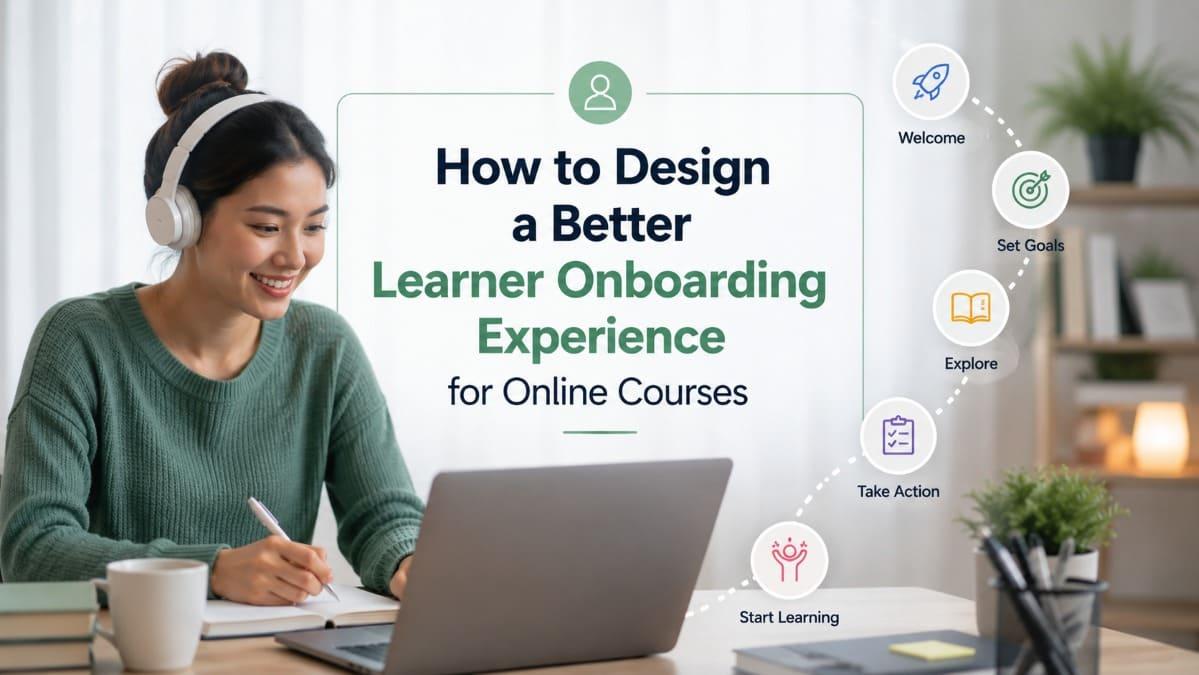
Learner onboarding is the first structured experience that
helps online course participants understand where to start, what to expect, how
to use the platform, and how to make progress. For teachers, trainers, and
institutions, good onboarding is not a decorative welcome page. It is a
retention tool. When learners enter a course with clarity, confidence, and a
visible first step, they are less likely to delay, feel lost, or drop out
early. This article explains how to design a better learner onboarding experience
for online courses, including practical workflows, common mistakes, platform
considerations, and how a branded learning platform can support smoother
learner journeys at scale.
- Quick
Answer
- What
Is Learner Onboarding in an Online Course?
- Why
Onboarding Matters for Retention and Completion
- What
a Good Learner Onboarding Experience Should Include
- How
to Design the First 10 Minutes of the Learner Journey
- How
Institutions and Training Providers Can Onboard Learners at Scale
- What
a Learning Platform Should Support During Onboarding
- Common
Mistakes in Online Course Onboarding
- Conclusion
- FAQ
Quick Answer
Learner onboarding in an online course is the process of
helping learners understand the course purpose, platform access, learning path,
expectations, support channels, and first action before they begin the main
content. It matters because many learners do not drop out after deep learning
difficulty; they drop out before they fully understand how to start.
A better onboarding experience reduces confusion, lowers
early friction, and helps learners build confidence. It should answer practical
questions quickly: where to begin, how long the course will take, what
completion means, what tools are needed, how progress is tracked, and where to
get help.
For teachers, trainers, and institutions, onboarding is
especially important when learners have different levels of digital confidence,
time availability, device access, or motivation. Online orientation has been
discussed in research as a proactive strategy to ease learners’ transition into
online learning, and onboarding at scale can introduce learners to the learning
system, support resources, time management, and motivation strategies.
The goal is simple: help learners feel, “I know what to do
next.”
What Is Learner Onboarding in an Online Course?
Learner onboarding is a guided entry experience that
prepares learners to use an online course effectively before they engage with
the full learning content.
It is not the same as a course introduction. A course
introduction usually explains the topic. Learner onboarding explains the
learning journey.
That difference is important.
A teacher may introduce a course by saying, “In this course,
we will learn classroom management.” Onboarding goes further: “Start with this
short orientation, complete Module 1 this week, take the quiz after each
lesson, use the discussion area for questions, and check your progress bar to
see certificate eligibility.”
The first version introduces content. The second version
reduces uncertainty.

A strong onboarding experience usually helps learners
understand:
- the
course goal,
- the
expected time commitment,
- the
learning sequence,
- the
platform features they need,
- the
first task,
- the
support channel,
- the
completion or certificate requirement.
Good onboarding removes the learner’s first layer of
uncertainty. It does not teach everything. It makes the first meaningful action
easier.
For online courses, this matters because learners often
begin alone. There may be no classroom, no facilitator standing in front of
them, and no peer beside them asking the same question. The course platform and
onboarding flow must carry more of that guidance.
Why Onboarding Matters for Retention and Completion
Onboarding matters because the beginning of an online course
is where learner intention is still fragile. A learner may be interested enough
to register, but not yet committed enough to continue through confusion.
This is one reason early experience design deserves serious
attention.
In online learning research, engagement and persistence are
often connected with teaching presence, social presence, and cognitive
presence. The Community of Inquiry framework describes online learning as
emerging from the interaction of these three forms of presence, which helps
explain why learners need more than uploaded content to stay engaged.
In practical course design, onboarding can create these
signals early:
|
Onboarding Signal |
What Learners Understand |
Retention Impact |
|
Clear welcome message |
Someone is guiding the course |
Reduces the feeling of isolation |
|
Course roadmap |
The course has a path |
Reduces confusion and hesitation |
|
First small task |
Starting does not feel too heavy |
Builds early momentum |
|
Support instruction |
Help is available when needed |
Reduces silent dropout |
|
Progress explanation |
Completion is measurable |
Makes continuation easier to track |
|
Certificate criteria |
The outcome is clear |
Reduces misunderstanding near the end |
Without onboarding, learners may still complete the course
if they are highly motivated and digitally confident. But many real learners
are busy, distracted, cautious, or unsure. They may be teachers completing
professional development after work, small business owners learning between
customer orders, staff members joining mandatory training, or community
participants using a phone with limited time.
For these learners, the first experience can decide whether
the course feels doable.
The first lesson should not only teach. It should prove that the learner can continue.
What a Good Learner Onboarding Experience Should Include
A good learner onboarding experience should be short,
practical, and focused on action. It should not become a second course before
the actual course begins.
The best onboarding flow usually answers six questions.
1. What is this course helping me do?
Learners should understand the practical outcome of the
course in plain language. This does not mean overselling results. It means
translating the course topic into learner value.
For example:
- “Learn
basic digital marketing” is broad.
- “Set
up a simple online visibility routine for your small business” is clearer.
- “Complete
five short lessons and prepare your first Google Business Profile
improvement checklist” is even more actionable.
For institutions, the outcome may include formal
requirements, such as completing modules, passing quizzes, or earning a
certificate. Still, the learner should understand the capability behind the
requirement.
2. Where should I start?
The first step should be visually and instructionally
obvious.
A common mistake is presenting learners with too many
options immediately: dashboard, modules, resources, discussion, assignments,
certificate page, profile setting, notification setting, and external links.
The learner may not know which one matters first.
A better approach is to create a guided start:
- Step
1: Watch the welcome video.
- Step
2: Open the course roadmap.
- Step
3: Complete the first short lesson.
- Step
4: Take the first simple check-in quiz.
This does not need to be complex. It just needs to be
unmistakable.
3. How much time will this take?
Time expectation is one of the most practical pieces of
onboarding information. Busy learners need to know whether the course requires
10 minutes, one hour, three weeks, or a fixed deadline.
A clear time estimate reduces avoidance. When learners know
that the first lesson takes only five minutes, they are more likely to start.
When they see only a large course title with no pacing guidance, they may
postpone it.
For microlearning courses, time transparency is especially
useful. A mobile-first course with short lessons can help learners make
progress in small windows, but only if the learner can see that the small
window is enough.

4. How will my progress be tracked?
Learners should know what counts as progress. Does progress
mean watching videos, passing quizzes, submitting assignments, attending live
sessions, or completing all modules?
This is not just administrative information. It shapes
learner behavior.
If the course requires quizzes for completion but the
onboarding never explains that, learners may watch every video and still feel
surprised when they do not receive a certificate. That kind of mismatch can
reduce trust.
5. Where can I get help?
Support should be visible before learners need it. This can
include a facilitator contact, discussion forum, helpdesk link, WhatsApp group,
email, office hours, or platform guide.
The support model depends on the course type. A creator-led
course may use community discussion. An institution may use a helpdesk or
coordinator. A corporate training program may use internal HR or learning
administrators.
The important point is that learners should not have to
search for help while already frustrated.
6. What should I do after onboarding?
Onboarding should end with a clear next action. Do not leave
learners at a general dashboard.
A strong final onboarding instruction could be:
“Now complete Lesson 1: Identify Your Current Challenge. It
takes around five minutes and unlocks your first progress checkpoint.”
That one sentence does a lot. It tells the learner what to
do, how long it takes, and why it matters.
How to Design the First 10 Minutes of the Learner Journey
The first 10 minutes should make the learner feel oriented,
capable, and ready to continue. This is not the time to show every feature,
policy, and resource.
A practical first 10-minute onboarding flow might look like
this:
|
Minute |
Learner Experience |
Purpose |
|
0–1 |
Welcome message with course promise |
Creates relevance and human presence |
|
1–3 |
Short orientation video or text guide |
Explains how the course works |
|
3–5 |
Course roadmap overview |
Shows sequence and expectation |
|
5–7 |
Platform action: open first lesson, check progress, find
support |
Builds confidence using the system |
|
7–10 |
First small learning task |
Converts registration into real progress |
The point is not the exact timing. The point is sequencing.
Many courses begin with too much explanation. Others begin
with content immediately, assuming learners already know how to navigate the
course. A better onboarding journey balances clarity and action.
Onboarding should create movement. If learners finish
onboarding but still do not know what to do next, the onboarding has not done
its job.
Make the first action small but meaningful
A small first action is not a filler activity. It should
connect to the course outcome.
For example, in a teacher training course, the first action
might be a short self-reflection: “Choose one classroom situation you want to
handle better.” In a small business digital marketing course, the first action
might be: “Search your business name on Google and note what appears first.”
These tasks are simple, but they create personal relevance.
The learner is no longer looking at abstract content. They are entering the
course through their own situation.
FitAcademy
Launch a Branded Learning Experience With a Clear Learner Journey
FitAcademy supports institutions, creators, and training providers with mobile-first courses, structured modules, progress tracking, quizzes, certificates, and branded learning environments.
Explore FitAcademy WhitelabelHow Institutions and Training Providers Can Onboard Learners at Scale
Institutions and training providers often face a different
onboarding challenge from individual course creators. They may serve hundreds
or thousands of learners with different backgrounds, devices, schedules, and
support needs.
At scale, onboarding cannot depend only on one facilitator
explaining everything manually. It needs a repeatable system.

A scalable onboarding system usually needs four layers.
Standard orientation content
This includes the welcome message, platform guide, course
roadmap, completion rules, certificate explanation, and support instructions.
It should be reusable across cohorts with minor adjustments.
For example, a training institution may create one standard
“How to Learn on This Platform” module that every learner completes before
entering specific courses.
Course-specific guidance
Each course still needs its own onboarding details. A
leadership course, teacher training course, health education course, and
vocational skills course may all use the same platform, but the learning goals
and completion requirements may differ.
Course-specific onboarding should explain:
- learning
outcome,
- module
sequence,
- assessment
type,
- practical
tasks,
- expected
schedule,
- final
completion criteria.
Learner segmentation
Not all learners need the same level of guidance. New
learners may need more platform orientation. Returning learners may only need
course-specific updates. Facilitators may need a different onboarding path from
participants.
Segmented onboarding prevents experienced users from being
slowed down while still supporting beginners.
Operational monitoring
At scale, the team should monitor early onboarding data.
Useful signals include:
- who
registered but never logged in,
- who
logged in but did not start,
- who
started onboarding but did not reach Lesson 1,
- who
completed onboarding but stopped before the first assessment.
These early signals are valuable because they show where
intervention should happen. A reminder after two weeks may be too late if the
learner was confused on day one.
What a Learning Platform Should Support During Onboarding
A learning platform should make onboarding easy to design,
deliver, and monitor. It should help course providers guide learners from
registration to first progress without relying entirely on manual
communication.
The platform does not need to be complicated. In many cases,
the most useful onboarding features are practical and visible.
|
Platform Capability |
Why It Matters for Onboarding |
Practical Example |
|
Branded course homepage |
Builds trust and context |
Learners recognize the institution, academy, or creator
brand |
|
Welcome module |
Gives every learner the same starting point |
Orientation lesson appears before main modules |
|
Progress tracking |
Shows movement from the beginning |
Learners see onboarding and lesson completion status |
|
Mobile-first access |
Supports learners with limited desktop access |
Learners can start from a smartphone |
|
Quiz or check-in |
Confirms understanding early |
Learners complete a simple platform readiness quiz |
|
Certificate rules |
Reduces confusion near completion |
Learners see what is required from the start |
|
Learner analytics |
Helps teams identify early friction |
Admin sees who stopped during onboarding |
For organizations that run repeated training programs, a
branded or white-label learning platform can be especially useful. It allows
the institution to create a consistent onboarding experience under its own
identity, rather than sending learners through disconnected tools, external
links, or marketplace-style environments.
This is where FitAcademy’s white-label model becomes
relevant. A branded learning platform can help institutions and training
providers create a more coherent entry experience, from course access to
learner progress and completion tracking.
For broader platform strategy, see what is a white-label learning platform.
A good platform does not only host content. It helps learners understand the journey they have entered.
Common Mistakes in Online Course Onboarding
Many onboarding problems happen because course providers
assume learners already understand the course, the platform, and the learning
process. That assumption is often wrong.
Mistake 1: Starting with too much information
Some onboarding pages try to explain everything at once:
course policy, facilitator biography, platform features, assessment rules,
community guidelines, certificate terms, technical support, and long
motivational content.
The intention is good, but the result can be heavy.
A better approach is progressive onboarding. Give learners
what they need for the first step, then introduce additional details when they
become relevant.
Mistake 2: Treating onboarding as a one-time welcome message
A welcome message is useful, but onboarding is a flow.
Learners may need guidance at several points: first login, first lesson, first
quiz, first assignment, first missed deadline, and final certificate step.
This does not mean overwhelming learners with messages. It
means placing the right guidance at the right moment.
Mistake 3: Ignoring mobile learners
If many learners access the course from smartphones,
onboarding must be designed for mobile behavior. Long paragraphs, tiny
dashboard elements, large downloads, and desktop-only instructions can create
friction.
Mobile-first onboarding should use short instructions, clear
buttons, simple navigation, and lightweight content. This is especially
important for community learning, workforce training, and learners with limited
device options.
Mistake 4: Hiding support information
Support information should not be buried in a footer, PDF,
or long policy page. If learners are confused, they need help quickly.
A simple “Need help?” section inside the onboarding flow can
prevent silent dropout.
Mistake 5: Making onboarding too generic
Generic onboarding says, “Welcome to the course. We hope you
enjoy learning.”
Specific onboarding says, “By the end of this course, you
will complete five short modules, take one quiz after each module, and prepare
one practical action plan. Start with Lesson 1 today.”
The second version is more useful because it reduces
ambiguity.

Conclusion
A better learner onboarding experience does not need to be
complicated. It needs to be intentional.
Learners should not enter an online course wondering where
to start, how long it will take, what counts as progress, or who to contact
when they get stuck. These questions should be answered before confusion
becomes inactivity.
For teachers and trainers, onboarding is a way to turn
course registration into real learning movement. For institutions and training
providers, it is also a scalable learning operations practice. It standardizes
the first learner experience, reduces repeated support questions, and gives
teams earlier visibility into dropout risk.
When onboarding is designed well, learners begin with
confidence. They understand the path, complete a first small action, and see
that the course is manageable. That early clarity can make the difference
between a learner who only registers and a learner who actually continues.
FitAcademy
Create a Clearer First Experience for Your Learners
FitAcademy helps institutions, creators, and training providers build branded online learning experiences with structured onboarding, mobile-first course access, learner progress, quizzes, and certificates.
Explore FitAcademy Whitelabel- Why
Learners Drop Out of Online Courses and How to Reduce It
- How Small Wins Help Learners Build Momentum in Online Learning
FAQ
What is learner onboarding in online learning?
Learner onboarding is the guided process that helps learners
understand the course purpose, platform navigation, learning path,
expectations, support options, and first step. It prepares learners before they
enter the main course content. Good onboarding reduces confusion and helps
learners start with more confidence.
Why is onboarding important for online course completion?
Onboarding is important because many learners lose momentum
early when they do not understand what to do next. A clear onboarding
experience can reduce hesitation, clarify expectations, and help learners
complete their first meaningful action. This early progress supports retention,
especially for busy or less digitally confident learners.
What should be included in an online course onboarding flow?
An online course onboarding flow should include a welcome
message, course goal, roadmap, time expectation, platform guidance, progress
explanation, support information, and a clear first task. For formal training,
it should also explain assessment rules, certificate criteria, deadlines, and
facilitator communication.
How long should learner onboarding be?
Learner onboarding should be long enough to create clarity
but short enough to avoid delaying progress. For many online courses, the first
onboarding experience can be completed in 5–10 minutes. More complex
institutional programs may need a longer orientation, but it should still be
structured into manageable steps.
Can onboarding reduce learner dropout?
Onboarding can help reduce early dropout by removing
confusion, setting expectations, and helping learners start. It does not
guarantee completion, because dropout can also be affected by time, motivation,
course difficulty, support, and personal circumstances. However, better
onboarding gives learners a stronger start.
How can a learning platform support onboarding?
A learning platform can support onboarding through welcome
modules, course roadmaps, progress tracking, mobile access, learner analytics,
quizzes, certificates, and communication tools. For institutions, a branded or
white-label platform can also create a consistent onboarding experience across
multiple courses and learner groups.