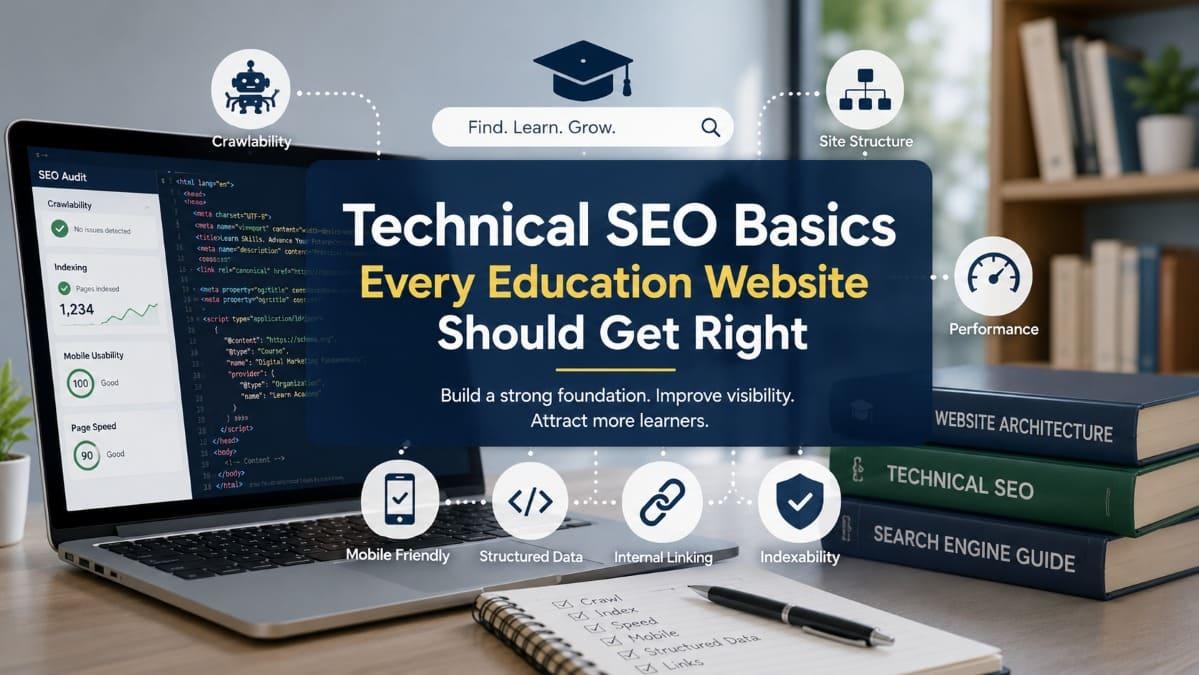
Technical SEO helps search engines and AI-assisted discovery
systems access, understand, and retrieve educational content. It covers the
website foundations beneath articles and course pages, including crawling,
indexing, site structure, page speed, mobile usability, canonical URLs,
structured data, and internal linking.
For course providers and creators, these foundations
influence more than rankings. Technical problems can prevent valuable articles
from being indexed, split authority across duplicate URLs, interrupt the
journey from content to enrollment, and create frustrating experiences for
mobile learners.
This guide explains the technical SEO priorities an
education website should address first, how to identify common problems, and
how to connect search visibility with course discovery and learner conversion
without turning SEO into an unnecessarily complex engineering project.
- Quick
Answer
- Why
Technical SEO Matters for Education Websites
- Make
Sure Important Pages Can Be Crawled and Indexed
- Build
a Clear Website and URL Structure
- Improve
Page Speed and Mobile Usability
- Manage
Duplicate Content and Canonical URLs
- Strengthen
Internal Linking and Content Discoverability
- Use
Structured Data Carefully
- Protect
Website Quality During Content Growth
- A
Practical Technical SEO Audit Framework
- Conclusion
- FAQ
Quick Answer
Technical SEO is the process of improving a website’s
underlying structure so that search engines can crawl, index, understand, and
retrieve its important pages efficiently.
For an education website, the main priorities are:
- Ensure
articles, course pages, and key institutional pages are accessible to
search crawlers.
- Prevent
important pages from being blocked or mistakenly marked as non-indexable.
- Use
clear site architecture, navigation, and URLs.
- Improve
page speed and mobile usability.
- consolidate
duplicate URLs with redirects and canonical tags.
- Build
internal links between related articles, courses, and learning resources.
- Maintain
accurate XML sitemaps.
- Use
structured data only when it matches visible page content.
- Monitor
indexing errors, broken links, and server problems.
- Protect
technical quality as the content library grows.
Technical SEO does not guarantee rankings or enrollment.
Content relevance, authority, competition, user needs, and brand trust also
matter.
Its role is foundational. A strong article cannot perform
well in search if crawlers cannot access it, the page loads poorly, duplicate
URLs divide signals, or visitors cannot navigate comfortably from the article
to a relevant learning resource.

Why Technical SEO Matters for Education Websites
Education websites often contain several types of content:
- blog
articles
- course
landing pages
- instructor
profiles
- program
catalogs
- lesson
previews
- webinar
pages
- learner
resources
- institutional
information
- registration
pages
- knowledge-base
articles
Each page serves a different purpose, but search engines
must first be able to discover and interpret it.
Technical SEO provides the infrastructure that supports this
process.
A well-written article may fail to appear in search if it is
accidentally blocked from indexing. A course page may be accessible through the
website menu but absent from the XML sitemap. Several versions of the same page
may exist under different URLs, causing search systems to divide signals across
duplicates.
The website may also attract visitors successfully but lose
them because the page is slow, unstable, difficult to read on mobile devices,
or interrupted by intrusive elements.
Technical SEO sits between content production, website
engineering, and user experience.
Search visibility begins with accessibility
Before a search engine can evaluate content quality, it
generally needs to:
- discover
the URL
- access
the page
- render
or process its content
- determine
whether the page should be indexed
- understand
its relationship with other pages
- decide
when it may be relevant to a query
A failure at an early stage can make later optimization
irrelevant.
For example, improving a title tag will not help a page that
is blocked by a noindex directive. Adding extensive content will not solve a
server error preventing crawlers and users from accessing the URL.
Technical problems can weaken the learner journey
A technical SEO issue is not always limited to search
visibility.
Consider a visitor who discovers an article about developing
an online course. The article loads slowly on a mobile connection. Its table is
wider than the screen. The CTA opens a broken page, and the course page
requires several large scripts before becoming interactive.
Even if the article ranks well, the experience may not
support progression.
The technical path should work across:
- search
discovery
- article
access
- internal
navigation
- lead
capture
- sample
learning
- course
evaluation
- registration
- mobile
participation
This makes technical quality relevant to both acquisition
and conversion.
Growing content libraries increase technical complexity
A small website with ten pages may be easy to manage
manually.
As the website grows, problems become more likely:
- similar
articles target the same question
- old
URLs remain accessible after page changes
- archived
courses continue to appear in search
- categories
create thin or duplicate pages
- tags
generate unnecessary indexable URLs
- images
become too large
- internal
links point to removed content
- sitemap
files become outdated
- pages
are published without metadata
- staging
pages become publicly accessible
Education businesses should establish basic technical
standards before the content library becomes difficult to maintain.
Technical SEO is not a separate layer added after content
creation. It determines whether educational content can be discovered,
accessed, and connected to the rest of the learner journey.
Make Sure Important Pages Can Be Crawled and Indexed
Crawling and indexing are related but different processes.
Crawling occurs when a search engine requests and examines a
URL. Indexing occurs when the search engine decides to store and make the page
eligible for retrieval in search results.
A page may be crawlable but not indexed. It may also be
indexed even though crawling is later restricted, particularly when the URL has
already been discovered through other sources.
Education websites should intentionally decide which pages
deserve indexation.
Identify which pages should be searchable
Pages that may deserve indexation include:
- high-quality
educational articles
- active
course landing pages
- program
category pages with useful original content
- instructor
or organization profiles
- permanent
webinar resources
- educational
guides
- public
sample lesson pages
- institutional
service pages
- pricing
or implementation pages, where appropriate
Pages that may not need indexation include:
- internal
search results
- account
dashboards
- login
pages
- checkout
steps
- duplicate
filter pages
- temporary
confirmation pages
- private
learner content
- empty
category archives
- test
pages
- staging
environments
- low-value
system-generated URLs
The objective is not to index every accessible URL. It is to
make important public pages discoverable while keeping private, duplicate, or
low-value pages out of search results.
Review the robots.txt file
The robots.txt file provides crawling instructions for
compliant search crawlers.
It can be used to discourage crawling of certain paths, but
it should be handled carefully.
A broad rule such as:
Disallow: /course/
could prevent crawlers from accessing every course page
under that directory.
Similarly, blocking JavaScript or CSS assets may make it
harder for search systems to process the rendered page correctly, depending on
how the website is built.
The file should be reviewed whenever:
- a
new website launches
- a
staging site moves to production
- URL
structures change
- a
redesign is completed
- a
new content management system is introduced
- search
visibility drops unexpectedly
A robots rule is not a reliable privacy mechanism. Sensitive
content should be protected through authentication or appropriate access
controls rather than crawler instructions alone.
Check for accidental noindex directives
A noindex directive tells search engines not to include a
page in their index.
It may appear in:
- an
HTML meta tag
- an
HTTP header
- a
content management system setting
- an
SEO plugin
- a
template configuration
- a
staging environment setting carried into production
An education website should check high-value pages after
deployment.
This is especially important for:
- newly
launched articles
- redesigned
course pages
- category
pages
- migrated
URLs
- pages
copied from a development environment
A website may appear functional to the team while important
pages remain invisible in organic search.
Maintain an accurate XML sitemap
An XML sitemap lists URLs that the website considers
important for discovery and indexing.
For an education website, the sitemap may contain:
- articles
- active
courses
- program
pages
- instructor
profiles
- important
institutional pages
- selected
public learning resources
A sitemap should not become a complete inventory of every
URL the server can generate.
Avoid including:
- redirected
URLs
- non-indexable
pages
- error
pages
- duplicate
parameter URLs
- private
learner pages
- obsolete
courses with no ongoing value
- staging
URLs
The sitemap should be updated when pages are published,
removed, or redirected.
Large websites may separate sitemaps by content type, such
as:
- article
sitemap
- course
sitemap
- page
sitemap
- instructor
sitemap
This can make monitoring easier.
Use appropriate HTTP status codes
HTTP status codes communicate what happened when a page was
requested.
Important examples include:
- 200:
the page loaded successfully
- 301:
the URL permanently redirects to another location
- 302
or 307: the redirect is temporary
- 404:
the requested page was not found
- 410:
the content has been intentionally removed
- 500:
the server encountered an error
- 503:
the service is temporarily unavailable
An education website should not return a successful 200
status for a page that visibly says “course not found.” This is sometimes
called a soft 404.
Similarly, a discontinued course page should not
automatically redirect to an unrelated homepage. A relevant replacement course,
updated program, or informative archive page may be more useful.
|
Page situation |
Recommended technical treatment |
Practical reason |
|
Article has moved permanently |
Use a 301 redirect to the closest relevant replacement |
Preserves navigation and consolidates signals |
|
Course is temporarily unavailable |
Keep the page live with clear status information or use a
temporary redirect when necessary |
Maintains context for returning visitors |
|
Course has been replaced |
Redirect to the updated course if the intent remains
equivalent |
Provides a relevant continuation |
|
Content has been removed with no replacement |
Return an appropriate 404 or 410 response |
Avoids misleading users and crawlers |
|
Private learner page |
Require authentication and prevent public indexing |
Protects learner information |
|
Staging website |
Restrict access and prevent indexing before launch |
Avoids duplicate or unfinished pages appearing publicly |
Search engines should not have to guess which education pages are public, current, and strategically important.

Build a Clear Website and URL Structure
Site structure describes how pages are organized and
connected.
A clear structure helps users and search systems understand
the relationship among topics, courses, institutions, instructors, and learning
resources.
An education website should not require visitors to know its
internal organizational language.
The navigation should reflect what users are trying to find.
Keep important content within a logical hierarchy
A practical structure might look like this:
- Home
- Courses
- Course
category
- Individual
course
- Blog
- Topic
cluster
- Individual
article
- Learning
solutions
- Creator
solutions
- Institutional
training
- White-label
learning
- Resources
- Templates
- Webinars
- Sample
lessons
- About
- Contact
The ideal hierarchy depends on the business.
A creator with two courses may need a simple structure. An
institution with multiple academies, learner groups, instructors, and program
categories will require more detailed organization.
The main principles are consistency and clarity.
Use descriptive URLs
A URL should give users a reasonable indication of the page
topic.
Clear examples:
- /blog/what-is-microlearning
- /courses/instructional-design-fundamentals
- /solutions/white-label-learning-platform
Less useful examples:
- /page?id=8392
- /post/category7/item93
- /course-final-new-v2
URLs should generally be:
- readable
- stable
- lowercase
- concise
- separated
with hyphens
- free
from unnecessary parameters
- aligned
with the page’s real subject
Changing URLs only to insert an extra keyword is rarely
worthwhile when the existing URL is clear and already established.
Avoid unnecessary nesting
A deeply nested URL such as:
/learning/resources/blog/education-business/marketing/content/technical-seo-basics
is harder to manage than necessary.
A simpler version might be:
/blog/technical-seo-basics-education-websites
The visible URL does not need to reproduce every level of
the website’s navigation.
Excessive depth may also make future restructuring more
difficult.
Use breadcrumbs where they improve orientation
Breadcrumb navigation shows the user’s location within the
website hierarchy.
For example:
Home > Blog > Education Business Conversion >
Technical SEO Basics
Breadcrumbs can help visitors:
- return
to a broader category
- understand
the relationship between pages
- navigate
large content libraries
- discover
related subject areas
They should reflect the actual hierarchy and remain
consistent with canonical URLs.
Manage categories and tags intentionally
Blog categories can support useful content organization.
Tags often become problematic when they generate many thin
archive pages containing only one or two articles.
Before making a category or tag page indexable, consider
whether it provides:
- a
clear description
- a
meaningful collection of resources
- enough
original value
- a
stable purpose
- useful
navigation
A category page titled “Microlearning” can be valuable if it
introduces the topic and organizes several relevant guides.
A tag page generated for a minor phrase used in one article
is unlikely to provide the same value.
Separate public marketing pages from private learning areas
An education platform may contain both public and
authenticated content.
Public pages may include:
- course
descriptions
- learning
outcomes
- instructor
information
- sample
lessons
- enrollment
details
- educational
articles
Private areas may include:
- learner
dashboards
- paid
lesson content
- quiz
attempts
- certificates
- personal
progress
- discussion
spaces
- administrative
reports
The technical architecture should clearly distinguish these
areas.
Private content should not depend only on a noindex tag.
Access control should prevent unauthorized retrieval.
Improve Page Speed and Mobile Usability
Page experience does not replace content relevance, but poor
performance can prevent people from consuming otherwise valuable content.
This is particularly important for education websites
serving mobile learners, regions with inconsistent connectivity, or users on
lower-specification devices.
A visually impressive page may perform poorly if it depends
on large images, autoplaying videos, multiple tracking scripts, excessive
animation, or heavy third-party tools.
Start with the largest page elements
Common performance problems include:
- oversized
hero images
- uncompressed
article graphics
- video
players loaded before interaction
- excessive
font files
- multiple
analytics and advertising scripts
- unused
JavaScript
- large
user-interface libraries
- social
widgets
- chat
tools loaded on every page
- duplicated
tracking tags
The goal is not to remove every visual or integration.
The website should load resources according to their actual
importance.
For example, a payment script is usually unnecessary on an
educational article unless that page includes a payment function. A video
player below the fold may be loaded only when the visitor approaches or
activates it.
Optimize educational images
Articles often include:
- diagrams
- screenshots
- course
previews
- instructor
photographs
- infographics
- learner
activity images
- platform
demonstrations
Images should be:
- resized
to their display dimensions
- compressed
appropriately
- delivered
in efficient formats where supported
- supplied
with meaningful alternative text
- lazy-loaded
when they are not immediately visible
- given
width and height information to reduce layout movement
Alternative text should describe the relevant content of the
image. It should not be used as a location for repetitive keywords.
For a decorative image that adds no informational value, an
empty alternative attribute may be more appropriate.
Handle video carefully
Video is valuable for course providers, but it can create
significant page weight.
Better practices may include:
- using
a lightweight preview image
- loading
the full player only after interaction
- avoiding
autoplay with sound
- providing
captions
- providing
a transcript or summary where useful
- hosting
course videos in infrastructure designed for streaming
- testing
playback on mobile connections
Embedding several third-party video players in one article
can introduce additional scripts, cookies, and loading delays.
Limit layout movement
A page may load quickly but still feel unstable if elements
shift while the visitor reads.
Common causes include:
- images
without defined dimensions
- advertisements
inserted after content loads
- late-loading
fonts
- banners
placed above existing content
- dynamic
forms
- cookie
notices that push the page downward
- embedded
media without reserved space
Unexpected movement can make readers tap the wrong link or
lose their reading position.
Education articles, course catalogs, and registration forms
should remain visually stable.
Test the complete mobile journey
A mobile-friendly article is not enough if the next action
fails.
Test:
- opening
the article
- using
the table of contents
- reading
tables and diagrams
- selecting
an internal link
- completing
a lead form
- opening
a sample lesson
- viewing
the course page
- creating
an account
- making
a payment, where applicable
- beginning
the learning experience
A visitor who discovers content on a smartphone should not
be forced onto a desktop device without a genuine operational reason.
|
Technical issue |
Likely user impact |
Practical improvement |
|
Large article images |
Slow initial loading |
Resize, compress, and use efficient formats |
|
Video player loaded immediately |
Heavy scripts and delayed interaction |
Use a preview image and load on demand |
|
Too many fonts |
Delayed text rendering |
Reduce font families and weights |
|
Unstable page elements |
Accidental clicks and reading disruption |
Reserve space and define media dimensions |
|
Wide comparison tables |
Difficult mobile reading |
Use responsive tables or simplified layouts |
|
Long registration forms |
Mobile abandonment |
Request only necessary information |
|
Payment scripts loaded globally |
Unnecessary page weight |
Load scripts only on relevant pages |
For a mobile-first education business, website performance
is part of learning access—not merely a technical ranking consideration.
FitAcademy
Connect Search Discovery With Mobile-First Learning
A technically accessible website can attract learners, but the journey should continue through an equally accessible learning experience. FitAcademy supports branded microlearning, mobile access, learner registration, progress tracking, quizzes, and certificates within a connected learning environment.
Learn More About FitAcademyManage Duplicate Content and Canonical URLs
Duplicate content occurs when the same or substantially
similar content is accessible through several URLs.
This does not automatically create a penalty, but it can
make it harder for search systems to identify the preferred version. It can
also divide internal links, external references, and reporting data.
Education websites may generate duplicates through:
- HTTP
and HTTPS versions
- www
and non-www domains
- trailing
and non-trailing slashes
- tracking
parameters
- print
versions
- category
archives
- tag
pages
- pagination
- course
filters
- duplicated
landing pages
- translated
content with incorrect configuration
- copied
course descriptions
Choose one consistent domain version
The website should consistently use one preferred version,
such as:
https://example.com
rather than allowing separate accessible versions under:
- http://example.com
- http://www.example.com
- https://www.example.com
Non-preferred versions should normally redirect to the
chosen version.
Internal links, sitemaps, canonical tags, and shared URLs
should also use the same format.
Use canonical tags for equivalent URLs
A canonical tag indicates which URL is considered the
preferred version among similar or duplicate pages.
For example, a course catalog may generate filtered URLs
such as:
- /courses?level=beginner
- /courses?format=mobile
- /courses?sort=latest
Depending on their value, these pages may need independent
optimization, canonicalization, or restricted indexation.
Canonical tags should point to valid, indexable URLs that
contain equivalent content.
They should not be used as a universal solution for
unrelated pages.
Avoid duplicating course descriptions across multiple pages
An institution may offer the same program:
- on
the main course page
- inside
a category page
- on
a partner page
- on
a city-specific landing page
- inside
a campaign page
Repeating the same text across all versions may produce weak
and confusing pages.
Where separate pages are genuinely necessary, each should
provide distinct value.
A regional program page, for example, might include:
- local
schedule
- facilitator
information
- venue
or delivery details
- participant
eligibility
- regional
partners
- local
contact information
Changing only the city name does not create a useful local
page.
Consolidate overlapping blog articles
Education blogs may gradually publish several articles
answering the same question.
Examples:
- What
is microlearning?
- Microlearning
explained
- Understanding
microlearning
- A
beginner’s guide to microlearning
If these articles have no clear differentiation, they may
compete for the same intent.
Possible actions include:
- combining
them into one stronger guide
- redirecting
weaker pages
- repositioning
each article toward a distinct intent
- updating
internal links
- clarifying
canonical signals
Content consolidation should preserve genuinely useful
information rather than removing pages solely because the titles appear
similar.
Configure multilingual pages deliberately
Education businesses serving several languages should
provide users and search systems with clear language versions.
Each translated page should generally have:
- a
stable language-specific URL
- a
self-referencing canonical tag
- appropriate
language annotations
- navigation
between language versions
- genuinely
translated content
- consistent
metadata
Automatically showing different languages on the same URL
based only on location or browser settings can make discovery and sharing more
difficult.
Translation quality also matters. Publishing low-quality
machine-translated versions at scale may create poor learner experiences and
editorial inconsistency.

Strengthen Internal Linking and Content Discoverability
Internal links connect pages within the same website.
They help visitors continue learning and help search systems
discover relationships among topics, articles, courses, and solution pages.
For education websites, internal linking should reflect the
learner journey.
Link according to the next relevant question
A useful internal link answers what the reader is likely to
ask next.
For example, an article about educational blogging may link
to:
- how
free educational content becomes qualified leads
- how
to measure content and enrollment performance
- technical
SEO foundations
- a
content planning guide
- a
learning platform overview
These links create progression from awareness toward
implementation and evaluation.
Give important pages more internal visibility
A high-value course or pillar article should not be
accessible only through a search box or an old article.
Important pages should receive links from:
- main
navigation, where appropriate
- category
pages
- relevant
articles
- related-content
sections
- course
catalogs
- resource
hubs
- footer
navigation, where useful
A page with no internal links pointing to it is sometimes
called an orphan page.
Orphan pages may be difficult for users and crawlers to
discover, even when they appear in a sitemap.
Use descriptive anchor text
Anchor text is the clickable wording of a link.
Descriptive anchor text helps users understand what they
will find.
Useful:
“Review the technical
requirements for a branded learning platform.”
Less useful:
“Click here.”
Anchor text should remain natural. Repeating the same exact
phrase across many pages can look mechanical and may reduce editorial quality.
Repair broken internal links
Broken links create dead ends.
They often appear after:
- URL
changes
- content
removal
- course
retirement
- domain
migration
- category
restructuring
- spelling
corrections in slugs
- website
redesign
A regular link audit should identify:
- links
returning 404 errors
- chains
of multiple redirects
- links
to temporary environments
- links
using insecure HTTP versions
- links
to outdated course pages
- anchors
pointing to removed sections
Internal links should generally point directly to the final
destination rather than through several redirects.
Create useful hub pages
A hub page organizes related content around one subject.
For example, an “Education Business Conversion” hub might
include:
- how
educational blogs attract learners
- how
free content generates qualified leads
- how
content and enrollment performance are measured
- technical
SEO basics
- course
landing page strategy
- learner
nurturing
- platform
ownership
The hub should include original context and navigation, not
merely a list of titles.
It helps readers understand the subject and choose the most
relevant path.
Connect public content with structured learning
A blog article may link to:
- a
checklist
- a
sample lesson
- a
webinar
- a
course preview
- an
online course
- a
readiness assessment
- a
platform overview
The link should match the article’s intent.
An early awareness article may guide readers toward more
education. An implementation article may direct a relevant audience toward a
course or solution.
This connection between public information and structured
learning is discussed in how
educational blogs attract learners before enrollment.
Internal links should create an educational path, not merely distribute ranking signals.
Use Structured Data Carefully
Structured data is machine-readable markup that helps search
systems interpret page entities and attributes.
It may describe:
- an
organization
- an
article
- a
breadcrumb trail
- a
person
- a
course
- an
event
- a
video
- a
frequently asked question
Structured data can improve clarity, but it does not
guarantee enhanced search displays or rankings.
The markup should match the visible content on the page.
Use Article or BlogPosting markup for articles
Educational articles may use structured data describing:
- headline
- publication
date
- modification
date
- author
- publisher
- representative
image
- canonical
page URL
The article should visibly display relevant author and
publication information where appropriate.
Do not provide misleading dates merely to make old content
appear new.
A modified date should reflect a meaningful update, not a
minor formatting change.
Use BreadcrumbList when breadcrumbs are visible
Breadcrumb structured data should correspond with the
navigation displayed to users.
The hierarchy should remain consistent.
For example:
Home > Blog > Technical SEO > Article
Avoid creating machine-readable breadcrumbs that do not
reflect the actual website organization.
Represent the organization consistently
Organization information may include:
- official
name
- logo
- website
URL
- contact
details
- relevant
profiles
- business
identity
The same core information should remain consistent across:
- website
pages
- structured
data
- business
profiles
- social
profiles
- public
directories
This can help search and AI systems associate content with
the correct organization.
Be cautious with FAQ markup
An article may include useful FAQ content even when no
special search display appears.
FAQ markup should be applied only when:
- the
questions and answers are visible on the page
- the
content is accurate
- the
answers are not misleading
- the
implementation follows current search-engine requirements
The value of an FAQ section is primarily answer clarity for
readers and retrieval systems, not guaranteed rich-result visibility.
Do not mark up content that does not exist
Common structured data mistakes include:
- adding
review ratings that are not visible
- listing
false course availability
- claiming
an event date that is not shown
- marking
an article as a course
- using
FAQ markup for hidden promotional copy
- providing
inconsistent prices
- listing
an author who did not write or review the content
Structured data should describe reality, not create an
artificial version of the page.
|
Schema type |
Suitable use on an education website |
Important caveat |
|
Organization |
Main institutional or business identity |
Information should remain consistent |
|
Article or BlogPosting |
Educational articles and guides |
Dates and authorship should be accurate |
|
BreadcrumbList |
Visible hierarchical navigation |
Must match the actual page structure |
|
Course |
Public course information, where implementation
requirements are met |
Markup should reflect the visible course offer |
|
Event |
Scheduled webinars, workshops, or cohorts |
Dates, location, and availability must be current |
|
VideoObject |
Public educational video pages |
Video details should match the accessible media |
|
FAQPage |
Visible question-and-answer content where appropriate |
Does not guarantee a rich search display |
Protect Website Quality During Content Growth
Technical SEO problems often appear gradually.
The website works well when it contains twenty articles. Two
years later, it may contain hundreds of articles, outdated course pages,
duplicate tags, unused media files, several redesign layers, and inconsistent
templates.
Growth requires governance.
Establish publishing requirements
Before an article or course page is published, check:
- unique
page title
- one
clear H1
- accurate
meta description
- readable
URL
- canonical
URL
- indexability
- mobile
layout
- image
dimensions and alternative text
- internal
links
- author
or reviewer details
- publication
date
- structured
data, where relevant
- sitemap
inclusion
- CTA
destination
- page
status code
This does not need to become a complicated approval process.
A repeatable checklist reduces preventable mistakes.
Control autogenerated pages
Content management systems may generate pages for:
- authors
- dates
- tags
- media
attachments
- filters
- internal
search results
- pagination
- course
attributes
Some of these pages may be useful. Others may create large
numbers of low-value URLs.
The team should identify which generated page types are:
- publicly
useful and indexable
- useful
for navigation but not for indexing
- unnecessary
and removable
Defaults should not be accepted without review.
Monitor content after migration
Website migrations can affect:
- URLs
- redirects
- metadata
- internal
links
- images
- structured
data
- canonical
tags
- sitemaps
- analytics
- page
speed
- indexation
A migration plan should include:
- an
inventory of existing important URLs
- a
map from old URLs to new URLs
- redirect
testing
- sitemap
updates
- canonical
verification
- analytics
verification
- crawl
and error monitoring after launch
A redesign that looks better but removes established URLs or
content relationships may reduce organic visibility.
Archive courses thoughtfully
Courses may close, expire, or be replaced.
The correct treatment depends on the situation.
If the course will return, the page may remain live with:
- updated
availability
- a
waitlist
- a
future cohort date
- related
resources
- an
alternative course
If the course has a direct replacement, a redirect may be
appropriate.
If the program is permanently removed but the topic remains
valuable, the page may become an informational archive.
Avoid leaving outdated enrollment buttons or redirecting
every retired course to the homepage.
Maintain editorial quality at scale
Technical accessibility does not make weak content valuable.
A website can be perfectly crawlable while publishing
hundreds of generic articles that overlap, repeat obvious claims, or fail to
answer learner questions.
Growth should preserve:
- distinct
search intent
- factual
accuracy
- subject
expertise
- useful
examples
- article
differentiation
- internal
link logic
- alignment
with real courses or services
- update
responsibility
Technical SEO supports content quality. It does not replace
it.
A Practical Technical SEO Audit Framework
An education business can conduct a useful technical audit
without beginning with every possible technical metric.
Start with the issues most likely to prevent discovery or
damage the learner journey.
Step 1: Inventory the important page types
List the main templates:
- homepage
- article
- category
or hub page
- course
page
- instructor
page
- landing
page
- resource
page
- webinar
page
- contact
page
- registration
page
- learner
login page
Check at least several examples of each type.
A problem found in one template may affect hundreds of URLs.
Step 2: Verify access and indexability
For important pages, check:
- successful
status code
- no
unintended crawler block
- no
unintended noindex
- correct
canonical URL
- presence
in the appropriate sitemap
- access
without authentication
- rendered
content availability
Private pages should be checked for the opposite: proper
authentication and exclusion from public search.
Step 3: Review URL consistency
Confirm that:
- HTTP
redirects to HTTPS
- one
preferred domain version is used
- trailing-slash
handling is consistent
- internal
links use canonical URLs
- parameter
URLs are controlled
- old
URLs redirect appropriately
- no
redirect loops exist
Step 4: Test performance on real devices
Do not rely only on office Wi-Fi and high-performance
computers.
Test:
- common
smartphones
- slower
connections
- long-form
articles
- pages
containing tables
- course
landing pages
- registration
forms
- video
pages
- checkout
or application flows
Record where the user must wait, zoom, rotate the device, or
repeat an action.
Step 5: Review internal discoverability
Identify:
- orphan
pages
- broken
links
- outdated
CTAs
- important
pages with few internal links
- repeated
anchors
- articles
without related-content paths
- category
pages that do not help users
Internal navigation should support both subject exploration
and progression toward learning.
Step 6: Check duplicate and overlapping URLs
Review:
- parameter
pages
- print
versions
- archives
- tags
- course
variants
- regional
pages
- translated
pages
- duplicate
article topics
Decide whether to:
- retain
and improve
- canonicalize
- redirect
- mark
as non-indexable
- consolidate
- remove
Step 7: Validate structured data
Ensure that markup:
- uses
appropriate types
- matches
visible content
- contains
correct URLs
- names
the real author or organization
- uses
accurate dates
- does
not contain false ratings or availability
- remains
consistent across templates
Step 8: Check analytics and conversion continuity
Confirm that the website can measure relevant actions such
as:
- article
visits
- related-content
clicks
- resource
downloads
- form
submissions
- course
page visits
- sample
lesson starts
- registrations
- enrollments
This does not mean tracking every click.
The events should support the measurement framework
described in how
to measure content, visibility, and enrollment performance.
Step 9: Prioritize by impact
A practical priority order is:
- pages
inaccessible to users or crawlers
- accidental
non-indexation
- server
errors and broken critical journeys
- incorrect
redirects or canonical URLs
- severe
mobile and performance problems
- duplicate
or low-value URL generation
- internal
linking gaps
- structured
data improvements
- minor
metadata inconsistencies
Not every warning from an audit tool requires immediate
action.
The team should prioritize issues that affect important
pages, many URLs, or critical user journeys.
Step 10: Assign ownership and monitoring
Technical SEO often crosses several roles:
- content
team
- developer
- designer
- SEO
specialist
- course
administrator
- platform
manager
- marketing
team
Each recurring task should have an owner.
For example:
- developers
manage status codes and redirects
- content
editors review metadata and internal links
- designers
monitor responsive layouts
- platform
teams protect private learner areas
- SEO
or marketing teams monitor indexing and visibility
Without ownership, the same problems tend to return.

Conclusion
Technical SEO gives educational content a reliable
foundation for discovery.
It ensures that important articles and course pages can be
accessed, indexed, organized, and connected. It also helps prevent duplicate
URLs, broken navigation, slow mobile experiences, outdated course pages, and
uncontrolled growth in low-value website content.
The most important work is usually not advanced.
Education websites should first verify that:
- important
pages are publicly accessible
- private
learner pages are protected
- indexation
settings are correct
- URLs
are clear and consistent
- redirects
work
- sitemaps
are accurate
- mobile
pages remain usable
- media
files are appropriately optimized
- internal
links create meaningful pathways
- structured
data reflects visible content
These foundations support the wider education business
journey.
Educational blogs can attract learners before enrollment.
Conversion resources can identify qualified interest. Analytics can reveal how
content contributes to enrollment. A learning platform can continue the
relationship through registration, structured learning, progress tracking,
assessment, and certification.
Technical SEO does not perform all of these functions by
itself.
Its role is to keep the public entrance visible, stable,
understandable, and connected to the next appropriate learning step.
FitAcademy
Build a Connected Journey From Website Discovery to Learning
FitAcademy helps creators, course providers, and training organizations continue the experience beyond public website content through branded mobile learning, course delivery, learner registration, progress tracking, quizzes, certificates, and operational reporting.
Learn More About FitAcademyFAQ
What is technical SEO for an education website?
Technical SEO is the improvement of website infrastructure
so search engines can access, process, index, and understand important pages.
For education websites, it includes article and course crawlability, indexation
settings, URLs, sitemaps, redirects, page performance, mobile usability,
internal linking, and structured data.
What technical SEO issue should an education website fix first?
Problems that block access or indexation should usually be
addressed first. These include server errors, accidental noindex tags, crawler
restrictions, broken redirects, and inaccessible pages. Page speed, duplicate
URLs, internal links, and structured data can then be prioritized according to
their impact.
Should every course page be indexed?
No. Active public course pages with useful original
information may deserve indexation. Private courses, duplicate program
variants, temporary test pages, empty listings, and internal learner pages
generally should not appear in public search. The decision should reflect user
value, availability, and content quality.
Does page speed directly guarantee higher search rankings?
No. Faster pages do not guarantee rankings. Relevance,
quality, authority, competition, and search intent remain important. However,
poor speed can make pages difficult to access, increase abandonment, disrupt
mobile use, and weaken the path from content discovery to course evaluation.
Is structured data required for an education website?
No. A website can be indexed without structured data. Markup
can help search systems interpret articles, organizations, breadcrumbs,
courses, events, videos, or FAQs, but it must accurately describe visible
content. It does not guarantee rankings or enhanced search displays.
How often should an education website conduct a technical SEO audit?
Critical errors and indexing changes should be monitored
regularly. A more complete audit may be appropriate quarterly, after major
releases, or whenever the website undergoes a migration, redesign, platform
change, or large content expansion. Audit frequency should reflect website size
and development activity.