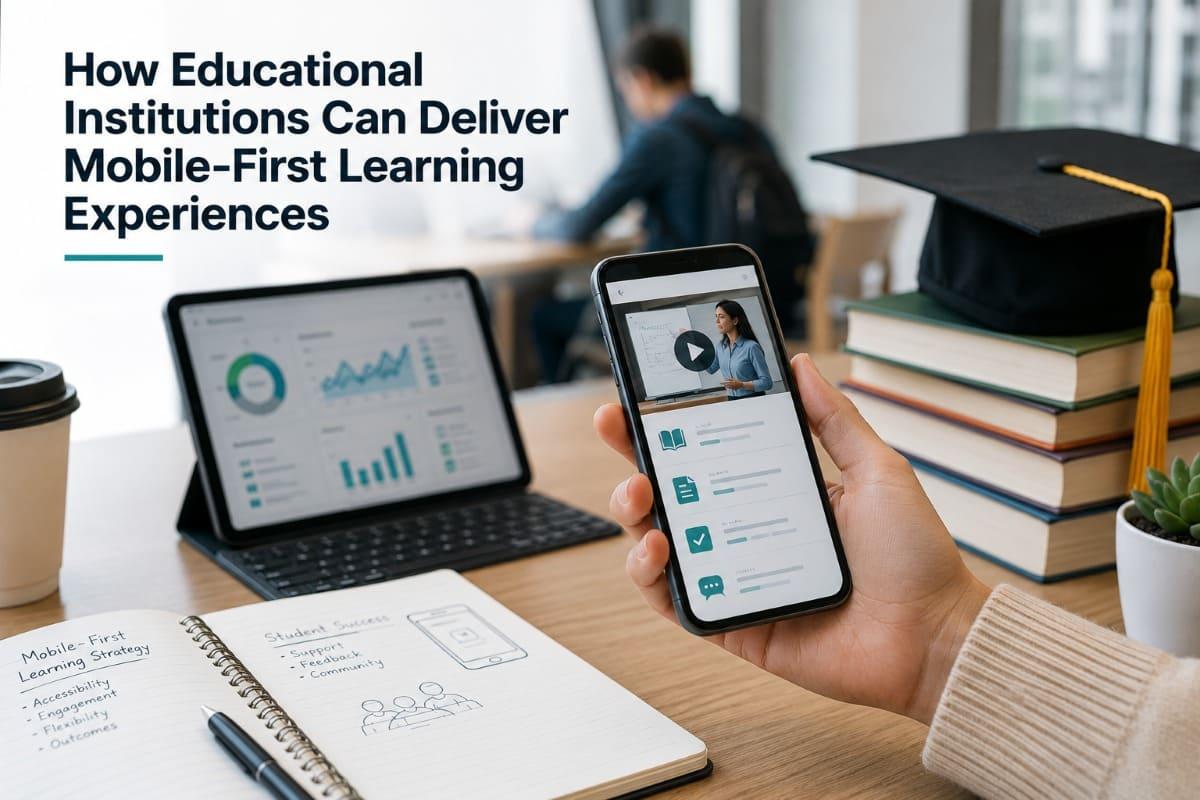
Mobile-first learning allows educational institutions to
reach learners through the devices they use most frequently while making
education more flexible, accessible, and resilient. However, delivering a
mobile-first experience requires more than shrinking an existing learning
management system to fit a smartphone screen.
Institutions must redesign content, navigation, assessment,
communication, accessibility, connectivity requirements, and learner support
around real mobile behavior. They must also decide when mobile web delivery is
sufficient, when a dedicated application adds value, and how mobile learning
should connect with existing institutional systems.
This article presents a practical framework for planning,
designing, piloting, and scaling mobile-first learning without weakening
educational quality, governance, or institutional control.
- Quick
Answer
- Mobile-First
Learning Is an Operating Model, Not Just a Device Strategy
- Start
With Learner Context and Institutional Objectives
- Design
Learning for Mobile Behavior
- Build
the Right Mobile Delivery Architecture
- Prepare
Governance, Support, and Institutional Operations
- Pilot,
Measure, and Scale the Experience
- Common
Mobile-First Implementation Mistakes
- FAQ
- Conclusion
Quick Answer
Educational institutions can deliver mobile-first learning
by designing the complete learning journey around smartphone use rather than
simply making desktop courses responsive.
The process should begin with an audit of learner devices,
connectivity, accessibility needs, digital confidence, study environments, and
support requirements. Institutions can then restructure courses into focused
learning units, simplify navigation, reduce media weight, provide captions and
transcripts, create mobile-appropriate assessments, and maintain progress
across devices.
The delivery model may use a mobile-responsive website, a
dedicated learning application, or a hybrid combination. The right choice
depends on learning frequency, offline requirements, notification needs,
branding priorities, integration requirements, budget, and institutional
capacity.
Mobile-first does not mean mobile-only. Learners may still
need desktops for long-form writing, complex simulations, practical
assignments, or detailed research. The objective is to ensure that essential
learning activities can be completed reliably on a mobile device while
preserving access to larger-screen experiences where they add educational
value.
Mobile-First Learning Is an Operating Model, Not Just a Device Strategy
Mobile learning is often discussed as a technical delivery
channel. An institution creates an online course, enables responsive design,
and assumes that the course has become mobile-first.
That approach addresses screen size but not the learning
experience.
A desktop-oriented course may contain 45-minute videos,
complex menus, multi-column pages, large PDF files, detailed drag-and-drop
activities, and assessments that require extensive typing. The interface may
technically adjust to a smaller screen, yet the course can still be difficult
to navigate, expensive to access through mobile data, and frustrating to
complete.
A mobile-first learning model begins with different
assumptions:
- The
learner may have only a few uninterrupted minutes.
- The
learner may be using one hand.
- Connectivity
may change during a session.
- Mobile
data may be limited or expensive.
- Notifications
from other applications may interrupt concentration.
- The
learner may move between a smartphone, tablet, and computer.
- Audio
may not always be practical.
- The
physical learning environment may be noisy or crowded.
- The
learner may need accessibility support.
- The
learner may not be highly confident with digital platforms.
These conditions affect instructional design, technology
selection, assessment, communications, data governance, and support.
The International Telecommunication Union reported that more
than four in five people worldwide owned a mobile phone in 2025. It also
recorded approximately 99 active mobile broadband subscriptions per 100
inhabitants. However, subscription figures do not mean that every individual
has affordable, reliable, or equal access. Coverage quality, device capability,
digital skills, affordability, and urban-rural differences remain important
constraints.
ITU
mobile phone ownership data
ITU
mobile broadband subscription data
The same inequality is visible in newer network
infrastructure. ITU estimated that 5G covered 55 percent of the global
population in 2025, but coverage reached 84 percent in high-income countries
and only 4 percent in low-income countries.
For educational institutions serving regional, national, or
international audiences, the implication is clear: mobile-first delivery should
not be designed only for the latest devices and fastest networks.
Mobile access becomes educational access only when learners
can navigate, understand, complete, and return to the experience under
realistic conditions.

Start With Learner Context and Institutional Objectives
A mobile-first initiative should not begin with an
application specification. It should begin with the learners, educational
objectives, and institutional operating model.
Technology decisions made before this analysis often result
in platforms that function technically but do not fit the way learners study.
Identify the Primary Learner Groups
Institutions may serve multiple populations with very
different needs:
- Full-time
students
- Part-time
students
- Adult
and continuing-education learners
- Teachers
and lecturers
- Vocational
trainees
- Employees
completing professional development
- Community
members
- International
learners
- Learners
in rural or low-connectivity locations
- Learners
with disabilities
- Learners
using shared or institution-provided devices
These groups should not be treated as one generic mobile
audience.
A full-time university student may have campus Wi-Fi and
regular laptop access. A vocational learner may spend most of the day in a
practical workplace. A community learner may rely entirely on prepaid mobile
data. A teacher completing mandatory training may access lessons in short
periods between professional responsibilities.
Institutions should examine how each group accesses
learning, where interruptions occur, and which activities are difficult to
complete on a small screen.
Conduct a Mobile Learning Access Audit
A useful access audit examines more than device ownership.
|
Area to Investigate |
Questions for the Institution |
|
Device access |
Which devices do learners own or share? How old are those
devices? What operating systems and screen sizes are common? |
|
Connectivity |
Do learners primarily use Wi-Fi or mobile data? Is the
connection stable? Are there regional coverage limitations? |
|
Affordability |
Does streaming video create a meaningful cost for
learners? Are data subsidies or zero-rated access available? |
|
Learning environment |
Where do learners usually study? Are those environments
quiet, private, safe, and suitable for audio? |
|
Digital confidence |
Can learners install applications, recover passwords,
upload files, and manage notifications independently? |
|
Accessibility |
Which visual, auditory, motor, cognitive, or language
requirements must be supported? |
|
Study behavior |
How long is a typical learning session? Do learners switch
between devices? |
|
Institutional support |
Who handles technical questions, content problems, account
access, and academic support? |
|
Privacy |
Are learners using personal or shared devices? Could
notifications reveal sensitive participation information? |
|
Content requirements |
Which activities can be completed on mobile, and which
still require a larger screen or specialist software? |
The audit does not need to become a long research project.
Institutions can combine learner surveys, interviews, platform analytics,
support records, classroom observations, and small usability tests.
The important point is to gather evidence before selecting
the delivery model.
Define the Educational Purpose of Mobile Delivery
Mobile learning should solve a specific access, delivery, or
operational problem.
Possible objectives include:
- Extending
learning beyond scheduled classes
- Supporting
students in remote locations
- Providing
short professional-development modules
- Reinforcing
knowledge between face-to-face sessions
- Delivering
field-based instructions
- Supporting
onboarding and orientation
- Providing
examination preparation
- Distributing
policy or compliance updates
- Enabling
flexible continuing education
- Maintaining
learning continuity during disruption
- Delivering
multilingual community education
- Supporting
spaced review and practice
A clear objective helps prevent unnecessary functionality.
For example, an institution delivering weekly five-minute
professional-development lessons may need strong notifications and simple
progress tracking. A university offering complete mobile degree access may
require more extensive integrations, assessments, identity controls, academic
records, and support.
Establish What Mobile-First Does Not Need to Replace
Mobile-first should not be interpreted as a requirement to
perform every learning activity on a smartphone.
Some activities are better suited to larger screens or
physical environments:
- Long-form
academic writing
- Complex
spreadsheet analysis
- Computer
programming
- Detailed
visual design
- Laboratory
work
- Specialist
simulations
- Multi-source
research
- Technical
drawing
- Supervised
practical assessment
- Activities
requiring specialist equipment
The institution should determine which parts of the learning
journey must be fully mobile, which should be mobile-accessible for review, and
which can appropriately direct learners to another device or environment.
Mobile-first learning gives the smartphone a clear educational role without forcing every educational activity onto the smallest screen.

Design Learning for Mobile Behavior
Once the learner context is understood, institutions can
redesign the learning journey.
This process should address content structure, navigation,
interaction, assessment, accessibility, and communication as one connected
experience.
Break Courses Into Focused Learning Units
Mobile learners are more likely to engage in shorter and
less predictable sessions. This does not mean every lesson must be extremely
brief, but each unit should have a clear purpose and a manageable cognitive
scope.
A practical mobile lesson might include:
- A
clear learning objective
- A
short explanation or demonstration
- One
relevant example
- A
retrieval question or reflection
- A
small application task
- A
clear next step
Longer topics can be divided into connected modules rather
than compressed until they become superficial.
Microlearning is particularly useful for:
- Concept
introduction
- Knowledge
reinforcement
- Vocabulary
development
- Process
reminders
- Product
or policy updates
- Scenario-based
decision practice
- Examination
review
- Workplace
performance support
It is less suitable as a complete replacement for every form
of deep learning. Complex reasoning, extended practice, discussion, and
feedback may still require longer activities.
The institution should therefore design a coherent sequence
of short learning moments rather than creating a collection of disconnected
content fragments.
Simplify Navigation and Reduce Decision Friction
A mobile learner should be able to understand three things
quickly:
- Where
am I?
- What
should I do now?
- What
happens next?
The platform should present a clear primary action and avoid
requiring learners to move repeatedly through complex menus.
Useful design practices include:
- One
main task per screen
- Clear
lesson and module titles
- Visible
progress indicators
- Consistent
placement of navigation controls
- Large
touch targets
- Minimal
horizontal scrolling
- Limited
use of pop-ups
- Clear
download sizes
- Saved
progress
- Simple
return-to-learning actions
- Predictable
back-button behavior
- Search
that works with short queries
Institutions should test navigation using actual smartphones
rather than relying entirely on desktop browser simulations.
Design Media for Variable Connectivity
Video can be highly effective, but it is also one of the
most bandwidth-intensive content formats.
A mobile-first video strategy should consider:
- Multiple
video-quality options
- Efficient
compression
- Shorter
segments
- Audio-only
alternatives where appropriate
- Captions
- Transcripts
- Download
controls
- Clear
file sizes
- Playback-speed
controls
- Resumption
from the last position
- Avoidance
of unnecessary visual complexity
Text, images, diagrams, audio, and downloadable resources
should also be optimized. A ten-page PDF designed for A4 printing may be
difficult to read on a phone even when the file size is small.
Where possible, core explanations should be available as
responsive page content rather than only through attached documents.
Use Mobile-Appropriate Interactions and Assessments
Mobile assessments should measure learning rather than a
learner’s ability to manipulate a small interface.
Suitable activities may include:
- Multiple-choice
questions
- Short
scenario decisions
- Ordering
a small number of steps
- Brief
written reflections
- Image-based
identification
- Audio
responses
- Photo
evidence
- Short
file uploads
- Checklists
- Workplace
observations
- Instructor-reviewed
tasks
Institutions should be cautious with complex drag-and-drop
interactions, wide tables, long essays, timed tests affected by unstable
connections, and activities that depend on precise pointer control.
For higher-stakes assessment, the institution must also
consider identity verification, academic integrity, accessibility, interruption
handling, privacy, and what happens if the connection fails.
Build Accessibility Into Content and Interface Design
Accessibility should be included from the beginning rather
than added after the platform has been launched.
The World Wide Web Consortium explains that mobile
accessibility is covered through existing W3C accessibility standards,
including the Web Content Accessibility Guidelines. Its guidance on applying
WCAG 2.2 addresses native mobile applications, mobile web applications, and
hybrid applications.
W3C
mobile accessibility guidance
Guidance on
applying WCAG 2.2 to mobile applications
Practical considerations include:
- Captions
for video content
- Transcripts
for audio
- Alternative
text for meaningful images
- Keyboard
and assistive-technology compatibility
- Sufficient
contrast
- Text
resizing
- Clear
focus indicators
- Large
touch targets
- Instructions
that do not rely only on color
- Error
messages that explain how to correct a problem
- Authentication
that does not create unnecessary barriers
- Adequate
time for assessment
- Control
over moving or flashing content
Accessibility also improves general usability. Captions help
learners in noisy environments. Clear navigation helps first-time users. Larger
controls support people using a phone while moving or holding the device with
one hand.
Many mobile accessibility improvements also reduce friction
for learners experiencing noise, distraction, weak connectivity, small screens,
or temporary limitations.

Build the Right Mobile Delivery Architecture
Institutions do not automatically need to develop a
dedicated application.
The delivery architecture should follow the educational and
operational requirements identified during the audit.
Mobile Web, Dedicated Application, or Hybrid Delivery
|
Delivery Model |
Best Suited For |
Main Advantages |
Main Limitations |
|
Mobile-responsive web platform |
Short programs, occasional access, public learning,
early-stage implementation |
No installation required, easier access through links,
generally simpler updates |
Offline access and device-level notifications may be
limited |
|
Dedicated mobile application |
Frequent learning, recurring programs, stronger
notifications, offline requirements, branded institutional ecosystems |
Stronger device presence, potentially better offline
support, push notifications, more controlled mobile experience |
Installation friction, app-store management, additional
maintenance and update requirements |
|
Hybrid web and app model |
Institutions supporting multiple audiences and learning
contexts |
Learners can choose the appropriate channel while
maintaining one learning record |
Requires careful synchronization, governance, testing, and
experience consistency |
|
Marketplace or shared learning application |
Pilots, small programs, organizations with limited
implementation resources |
Lower initial setup, existing infrastructure, faster entry |
Less institutional control over branding, data,
navigation, and learner relationships |
A dedicated application becomes more valuable when:
- Learners
return several times per week
- Offline
access is essential
- Notifications
form part of the learning design
- The
institution needs a persistent branded presence
- Mobile-specific
media capture is required
- Learners
complete field-based activities
- Programs
continue over a long period
- The
institution operates multiple learning programs
- Mobile
engagement data is strategically important
A mobile web experience may be preferable when:
- Learners
participate only once or occasionally
- Installation
would create unnecessary friction
- Courses
must be accessed directly from email, search, or public links
- The
institution is validating an early program
- Offline
functionality is not essential
- Budget
and operational capacity are limited
Plan for Offline and Interrupted Learning
Offline capability should not be treated as a simple
yes-or-no feature.
Institutions need to determine:
- Which
content can be downloaded
- Whether
video, audio, documents, and quizzes are supported
- How
much storage is required
- Whether
downloaded content expires
- How
progress is synchronized
- What
happens when two devices contain different progress records
- Whether
assessment submissions can be queued
- How
updated content replaces older downloads
- Whether
sensitive content should be stored locally
- How
users remove downloaded data from shared devices
A platform may support offline video but not offline
assessment. Another may allow downloads without synchronizing progress. These
differences should be tested through complete learner workflows.
Maintain Cross-Device Continuity
Mobile-first does not mean learners will remain on one
device.
A learner may watch an introductory lesson on a phone,
complete an assignment on a laptop, check feedback on a tablet, and return to a
phone for revision.
The platform should therefore maintain:
- One
learner identity
- Consistent
enrollment status
- Synchronized
progress
- Saved
assessment states where appropriate
- Access
to feedback
- Consistent
course structure
- Updated
completion records
- Clear
handover between devices
Cross-device continuity is particularly important for
institutions that combine mobile microlearning with classroom, desktop, or
workplace activities.
Connect Mobile Learning With the Institutional
EcosystemA mobile learning platform may need to exchange data with:
- Student
information systems
- Existing
learning management systems
- Human
resource systems
- Identity
providers
- Payment
systems
- Customer
relationship management platforms
- Video-conferencing
tools
- Academic
records
- Digital
libraries
- Business-intelligence
systems
- Communication
platforms
Relevant integration mechanisms may include APIs, webhooks,
single sign-on, user provisioning, data exports, and recognized education
technology standards.
The 1EdTech Learning Tools Interoperability standard is
designed to connect learning tools with institutional learning environments
while supporting secure transfer of user, role, enrollment, and related
learning information.
1EdTech
Learning Tools Interoperability
Not every institution requires the same integration depth. A
small professional academy may only need learner import, payment integration,
and reporting exports. A university may require identity management, academic
records, grade exchange, and multiple learning-tool integrations.
The objective is to avoid creating a separate mobile
environment that increases administrative work or fragments the learner record.
FitAcademy
Explore a Branded Mobile Learning Infrastructure
FitAcademy helps educational institutions launch structured microlearning experiences across branded web and mobile environments without developing the entire platform infrastructure from the beginning.
Explore FitAcademy White-LabelPrepare Governance, Support, and Institutional
OperationsA mobile learning initiative cannot be sustained by the
technology team alone.
It requires coordination between academic leadership,
instructional designers, instructors, administrators, accessibility
specialists, data teams, communications staff, learner-support teams, and
technology providers.
Define Clear Platform and Content Roles
Institutions should establish who is authorized to:
- Create
courses
- Edit
learning materials
- Review
academic accuracy
- Approve
publication
- Enroll
learners
- Access
learner records
- Review
assessments
- Issue
certificates
- Send
notifications
- Export
data
- Configure
integrations
- Resolve
technical problems
- Archive
outdated content
Role-based permissions should reflect these
responsibilities.
Giving every administrator broad platform access may appear
convenient during a small pilot, but it creates governance and privacy risks as
the initiative grows.
Establish a Mobile Content Standard
A shared content standard helps departments create a
consistent learner experience.
The standard may define:
- Recommended
lesson length
- Maximum
initial media size
- Video
and audio formats
- Caption
and transcript requirements
- Image
optimization
- Heading
structure
- Mobile
assessment patterns
- Accessibility
review
- Naming
conventions
- Approval
procedures
- Review
dates
- Version
control
- Archiving
procedures
The standard should guide quality without forcing every
subject into an identical template.
A language course, laboratory preparation module, leadership
program, and public-health course may require different instructional methods.
Consistency should apply to usability, accessibility, governance, and learner
expectations rather than eliminating appropriate pedagogical variation.
Design Notification Governance
Push notifications can support return behavior, reminders,
and spaced learning. They can also become intrusive.
Institutions should define:
- Which
events justify a notification
- Who
may send notifications
- How
frequently learners may be contacted
- Whether
the learner can control categories
- Which
messages require email or another channel
- Whether
sensitive information may appear on a lock screen
- How
time zones are handled
- How
notification performance will be evaluated
A reminder should lead to a useful action. Sending frequent
generic messages may encourage learners to disable notifications entirely.
Prepare Learner and Instructor Support
Mobile-first learning may reduce some access barriers while
creating new support requirements.
Common issues include:
- Application
installation
- Unsupported
operating systems
- Forgotten
passwords
- Verification
codes
- Limited
storage
- Failed
downloads
- Interrupted
uploads
- Progress
synchronization
- Assessment
submission
- Notification
permissions
- Accessibility
settings
- Shared-device
logout
- Data
consumption concerns
Support should be available through channels appropriate to
the learner population. Depending on the institution, this may include
in-platform help, email, messaging, telephone support, peer facilitators,
campus staff, or local program coordinators.
Instructors also need training. They should understand how
to design mobile-appropriate activities, interpret mobile analytics,
communicate with learners, review submissions, and escalate technical issues.
Protect Learner Data Across Personal Devices
Mobile delivery often means that institutional learning data
appears on personally owned devices.
The institution should consider:
- Authentication
requirements
- Session
duration
- Multi-factor
authentication
- Local
storage
- Downloaded
content
- Shared-device
access
- Notification
privacy
- Lost
or stolen devices
- Account
removal
- Data
retention
- User
consent
- Third-party
analytics
- Children
or other protected learner groups
- Regulatory
requirements in each operating market
Not every mobile learning program requires the same level of
control. Risk should be assessed according to the sensitivity of the data, type
of learner, learning context, and institutional obligations.
Maintain Institutional Identity Without Creating
FrictionA consistent institutional identity can help learners
recognize that the experience is legitimate and connected to the institution.
This may include:
- Institutional
domain
- Application
name and icon
- Visual
identity
- Login
experience
- Learner
communications
- Course
navigation
- Help
information
- Certificates
- Privacy
information
- Support
contacts
However, branding should improve clarity and trust rather
than fill every screen with decorative elements.
The broader strategic role of platform identity is examined
in why
branded learning experiences increase trust and engagement.
A mobile platform becomes part of the institution’s educational environment, so its governance must be as deliberate as its interface.
Pilot, Measure, and Scale the Experience
A controlled pilot helps an institution identify design and
operational problems before they affect a large learner population.
The pilot should represent the real implementation rather
than an ideal internal test.
Select a Representative Pilot Program
A useful pilot has:
- A
clear educational objective
- A
defined learner group
- Manageable
content scope
- Real
instructors or facilitators
- Representative
devices and connectivity conditions
- Measurable
completion requirements
- Available
support staff
- A
realistic delivery period
- Stakeholders
who can act on the findings
The institution should avoid testing only with technology
staff, highly motivated volunteers, or learners using new devices and reliable
campus Wi-Fi.
A pilot that excludes difficult conditions may confirm that
the technology functions while failing to reveal whether the learning model is
viable.
Test the Complete Learner Journey
The pilot should cover the full experience:
- Receiving
an invitation
- Creating
or activating an account
- Signing
in
- Finding
the assigned program
- Starting
a lesson
- Returning
after an interruption
- Switching
devices
- Downloading
content where applicable
- Completing
an assessment
- Receiving
feedback
- Tracking
progress
- Accessing
support
- Completing
the program
- Receiving
a certificate or completion record
- Updating
or removing the account where required
Testing isolated screens will not reveal problems that occur
between systems or stages.
Measure More Than Enrollment and Completion
Institutions should connect metrics to decisions.
|
Measurement Area |
Possible Indicator |
Decision It Can Support |
|
Initial access |
Percentage of invited learners who activate an account |
Whether onboarding instructions or authentication should
be revised |
|
Early engagement |
Percentage who begin the first lesson |
Whether the value proposition and first-use experience are
clear |
|
Learning continuity |
Return rate after the first session |
Whether reminders, lesson structure, and progress saving
are effective |
|
Content usability |
Drop-off by lesson or activity |
Which content may be too long, confusing, heavy, or
technically difficult |
|
Assessment |
Attempts, pass patterns, and unusual question failure |
Whether instruction or assessment design requires revision |
|
Technical experience |
Failed downloads, uploads, or synchronization events |
Whether platform or connectivity handling needs
improvement |
|
Support |
Number and type of learner questions |
Where onboarding, interface, or guidance is insufficient |
|
Device performance |
Completion patterns by device or operating system |
Whether technical compatibility problems affect specific
groups |
|
Accessibility |
Barriers reported through accessibility testing |
Which interface or content elements require remediation |
|
Educational value |
Knowledge, skill, or performance evidence |
Whether the program is achieving its learning objective |
Completion rate alone can be misleading. A high completion
rate may reflect a very easy course, mandatory participation, or automatic
progression. A lower rate may result from technical barriers, weak relevance,
unclear expectations, or an overly demanding program.
Metrics should be interpreted with learner feedback and
educational evidence.
Use Qualitative Feedback to Explain the Data
Analytics can show where learners stop, but not always why.
Institutions should combine platform data with:
- Short
learner interviews
- Instructor
observations
- Support-ticket
analysis
- Usability
testing
- Open
survey responses
- Accessibility
testing
- Device-specific
testing
- Discussion
with local facilitators
- Review
of incomplete submissions
This combination helps distinguish between content
difficulty, interface friction, connectivity problems, unclear instructions,
and lack of relevance.
Scale in Controlled Phases
A practical rollout may follow five stages:
Stage 1: Discovery
Define the learner groups, objectives, constraints, risks, and institutional
requirements.
Stage 2: Prototype
Create a limited but realistic learning journey and test core platform
functions.
Stage 3: Pilot
Run the program with representative learners and operational staff.
Stage 4: Controlled expansion
Add more learners, instructors, programs, or regions while monitoring support
capacity.
Stage 5: Institutionalization
Establish governance, content standards, integrations, reporting routines,
budgets, and long-term ownership.
Institutions should not scale simply because the application
works. They should scale when the learning design, administration, support,
data handling, and content workflow can sustain a larger population.

Common Mobile-First Implementation Mistakes
Starting With an Application Before Defining the
Learning ModelInstitutions may begin by asking vendors for a branded
application even though the program objectives, learner behavior, content
workflow, and support model remain unclear.
This can produce a visually polished application that does
not solve the institution’s actual delivery problem.
A better approach is to define the educational and
operational requirements first, then determine whether mobile web, a dedicated
application, or hybrid delivery is appropriate.
Converting Desktop Courses Without Redesigning Them
Uploading the same videos, documents, assessments, and
navigation structure into a mobile interface rarely creates a strong mobile
experience.
Long videos should be reviewed for segmentation. PDFs should
be assessed for small-screen readability. Assessments should be tested with
touch interaction. Navigation should be simplified, and key content should be
optimized for different connection conditions.
The objective is not merely format conversion. It is
experience redesign.
Assuming Every Learner Has Reliable Connectivity
Mobile coverage is widespread, but connection quality and
affordability vary significantly.
An institution that requires constant high-quality streaming
may unintentionally exclude learners who technically have internet access but
cannot sustain the required data consumption or network speed.
Institutions should test lower-bandwidth conditions, offer
alternative formats where appropriate, and communicate download sizes clearly.
Measuring Activity Instead of Learning
Logins, page views, watch time, and completion provide
operational information, but they do not independently demonstrate
understanding or capability.
Mobile analytics should be connected to learning objectives
through assessments, practice, feedback, application tasks, or other
appropriate evidence.
Using Notifications Without a Communication Strategy
Frequent reminders may temporarily increase return activity,
but excessive communication can cause learners to mute notifications or
disengage.
Each message should have a defined audience, purpose,
action, and timing.
Leaving Accessibility Until the Final Review
Accessibility problems are more expensive and disruptive to
correct after content, navigation, assessment, and mobile applications have
been fully developed.
Institutions should include accessibility requirements in
procurement, content templates, quality assurance, user testing, and staff
training from the start.
Failing to Plan the Operational Workload
A new mobile channel creates ongoing responsibilities:
- Updating
applications
- Reviewing
compatibility
- Managing
app-store requirements
- Publishing
content
- Resolving
support issues
- Monitoring
learner data
- Maintaining
integrations
- Reviewing
accessibility
- Managing
notifications
- Updating
privacy information
- Training
instructors
- Archiving
outdated materials
A mobile-first strategy must include the people, processes,
and budget required to perform this work.
FAQ
What is the difference between mobile-friendly and mobile-first learning?
Mobile-friendly learning adapts an existing experience so
that it can be opened on a mobile device. Mobile-first learning designs the
experience around mobile behavior from the beginning. It considers short
sessions, touch navigation, variable connectivity, interruptions, media weight,
accessibility, notifications, cross-device progress, and the physical
environments in which learners use their phones.
Does mobile-first learning require a dedicated application?
No. A responsive web platform may provide an effective
mobile-first experience, particularly for occasional learners, public programs,
or early-stage implementations. A dedicated application is more relevant when
learners return frequently, need offline access, use push notifications,
complete field activities, or require a stronger branded institutional
environment.
How long should a mobile learning lesson be?
There is no universal lesson length. The lesson should be
long enough to achieve one clear learning objective without combining
unnecessary concepts. Many mobile lessons are designed as short units, but
complex topics may require a sequence of lessons, practice activities,
discussion, and longer assignments. Educational coherence matters more than
meeting an arbitrary duration.
Can mobile learning support formal assessment?
Yes, but the assessment format should match the device,
learning objective, and level of risk. Low-stakes quizzes, scenario questions,
short responses, images, audio submissions, and workplace evidence can work
well. High-stakes assessments require additional planning for identity,
integrity, accessibility, privacy, connection failure, timing, and technical
support.
Should institutions offer offline learning?
Offline access is valuable when learners experience unstable
or expensive connectivity, but institutions should define exactly what offline
means. They need to verify which content can be downloaded, whether assessments
work offline, how progress synchronizes, how much storage is needed, and how
sensitive data is handled on personal or shared devices.
How can an institution choose a mobile learning platform?
The institution should compare platforms against real
learner and administrative workflows rather than generic feature lists.
Evaluation should include mobile usability, low-bandwidth performance,
accessibility, content creation, assessment, user management, reporting,
integrations, offline behavior, data ownership, technical support, branding
control, and the process for exporting institutional content and learner
records.
Conclusion
Mobile-first learning gives educational institutions an
opportunity to make structured education available within the everyday
environments of learners.
Achieving that goal requires more than launching an
application or making course pages responsive. Institutions need to understand
learner circumstances, define the role of mobile delivery, restructure content,
optimize media, simplify navigation, design appropriate assessments, maintain
accessibility, prepare support, protect data, and integrate mobile learning
with existing systems.
The strongest implementation does not force every
educational activity onto a smartphone. Instead, it makes essential learning
reliably accessible through mobile devices while enabling learners to move to
larger screens, classrooms, workplaces, or practical environments when those
settings offer greater educational value.
Institutions should begin with a representative pilot,
measure the complete learner journey, and expand only when their content,
technology, governance, and support systems can sustain the next stage.
Mobile-first learning then becomes more than a delivery
channel. It becomes a coordinated institutional capability for reaching
learners with greater flexibility, continuity, and control.
FitAcademy
Launch Your Institution’s Branded Mobile Learning Experience
FitAcademy provides white-label web and mobile learning infrastructure for institutions that want to deliver structured microlearning under their own identity while maintaining control over users, content, progress, and program operations.
Explore FitAcademy White-Label